Good news first: a properly installed Parallels RAS farm already scores A- on the Qualys SSL Labs test without touching a single TLS setting. That is already a very good grade. We put the Secure Gateway of our RAS 22 lab under the microscope to find out what was missing for an A+… and the answer is a single checkbox.
The starting point: A- out of the box
Our Secure Gateway publishes the User Portal with a Let’s Encrypt certificate and the farm’s default TLS settings. First test result:
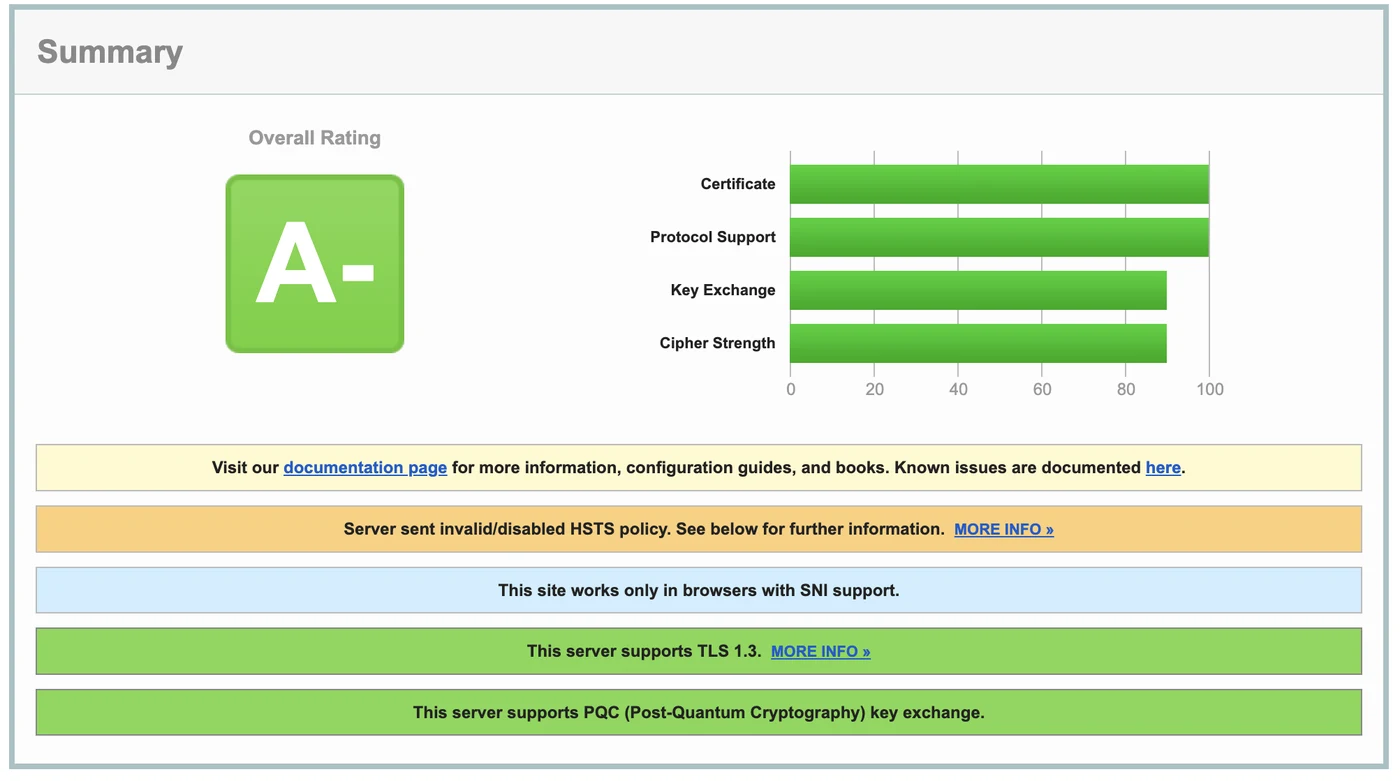
- Certificate and protocols at 100%: only TLS 1.2 and TLS 1.3 are accepted.
- TLS 1.3 supported, with strong cipher suites (“High” level in RAS).
- Post-quantum key exchange (PQC): the gateway accepts the hybrid X25519 + ML-KEM exchange offered by recent browsers.
- A single warning: “Server sent invalid/disabled HSTS policy”.
The “Key Exchange” and “Cipher Strength” bars at 90 are normal: even the best public configurations top out there. The only thing standing between you and an A+ is HSTS.
Why HSTS caps the grade
HSTS (HTTP Strict Transport Security) is a header telling the browser never to contact the site other than over HTTPS, for a given period. By default, the Secure Gateway does send the header, but with a zero duration:
Strict-Transport-Security: max-age=0max-age=0 means “HSTS disabled”. SSL Labs therefore flags it as an invalid or disabled policy, and keeps the A+ for servers that enforce HSTS for at least six months.
Enabling HSTS in the RAS Console
- Open Farm > Site > Secure Gateways, then Site Defaults (or the properties of a specific gateway).
- On the SSL/TLS tab, the “HSTS is off” line shows the current state. Click Configure….
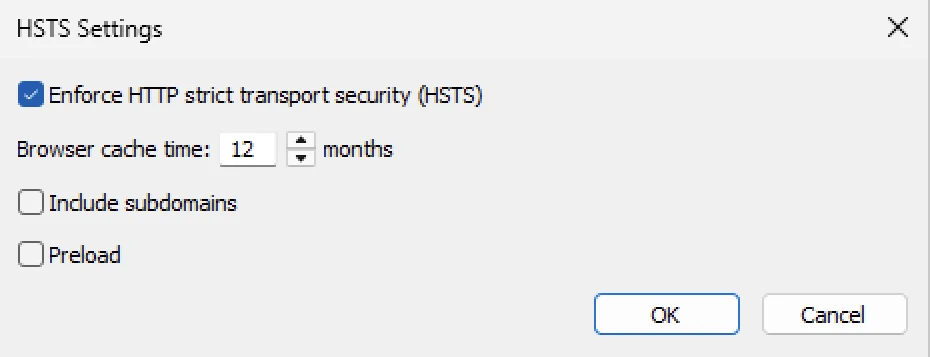
- Tick Enforce HTTP strict transport security (HSTS) and set Browser cache time to 12 months.
- Leave Include subdomains and Preload unticked (see below).
- Confirm, then apply the configuration (Apply).
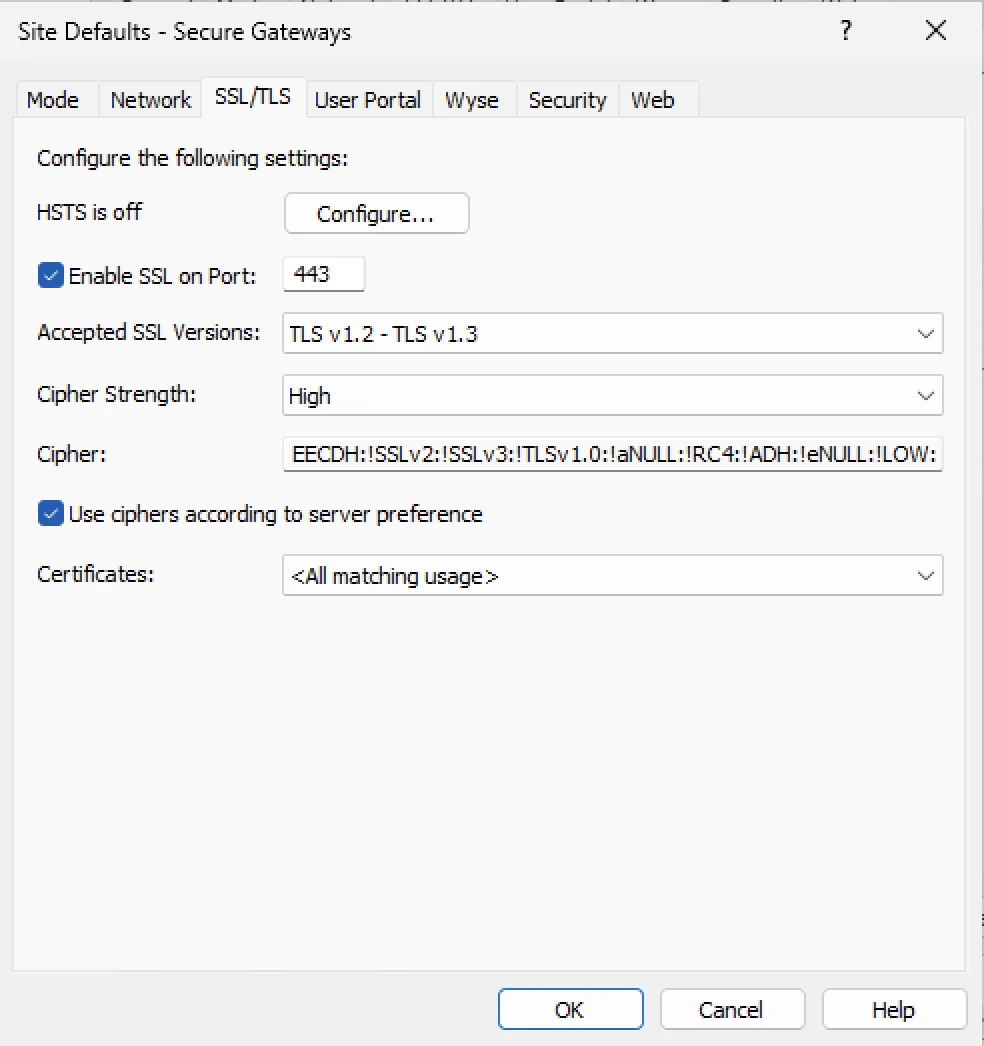
Watch the inheritance: if a gateway does not inherit the site defaults (“Inherit default settings” unticked), make the same change directly in its properties, SSL/TLS tab.
To check without waiting for SSL Labs:
curl -s -D - -o /dev/null https://your-gateway/userportal/ | grep -i strict-transportThe response should show Strict-Transport-Security: max-age=31536000, i.e. one year.
The result: A+
After a “Clear cache” in SSL Labs and a new scan:
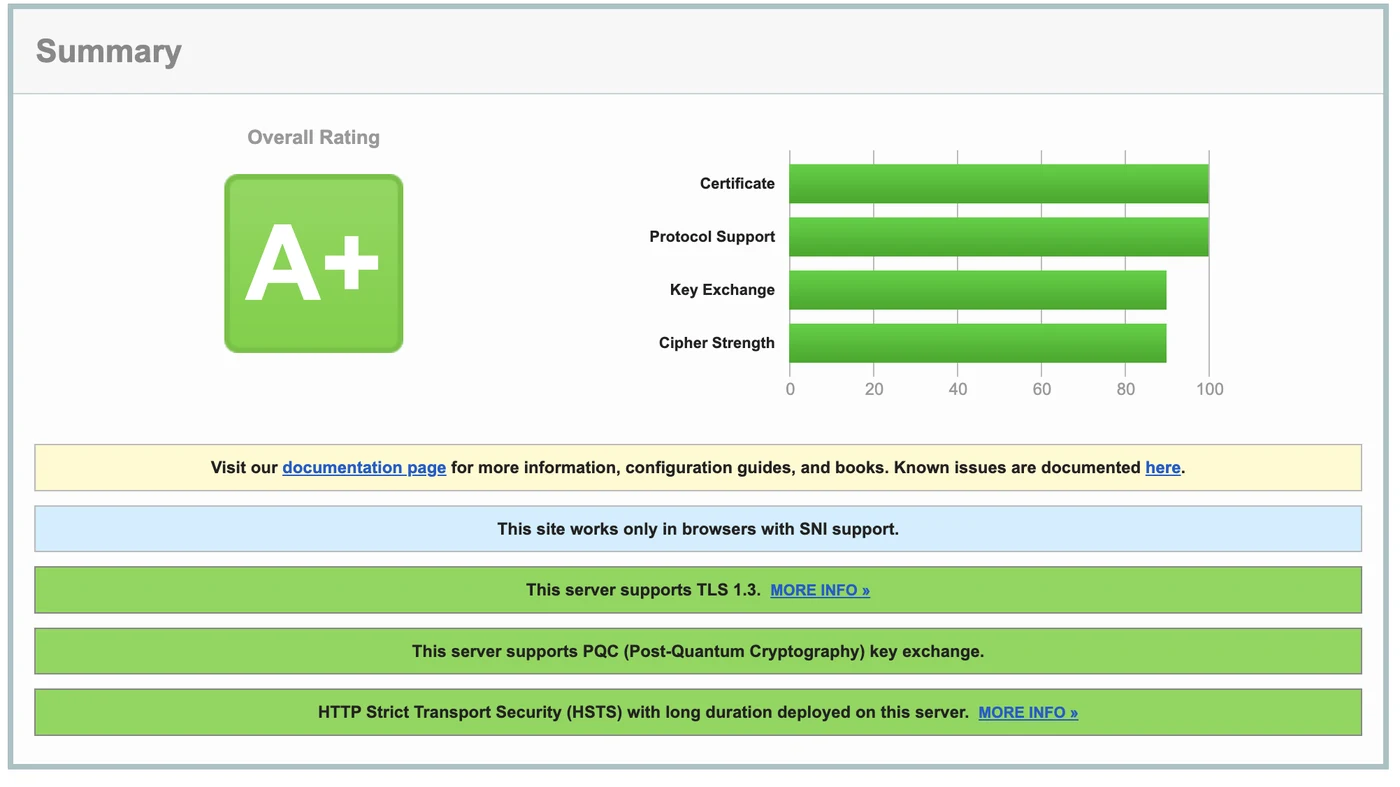
Nothing else changed: same protocols, same cipher suites, same certificate. SSL Labs simply confirms “HTTP Strict Transport Security (HSTS) with long duration deployed on this server”.
What to know before enabling HSTS
- It is a commitment: for the whole duration, browsers that have already visited the gateway will refuse any HTTP access or invalid certificate, with no “proceed anyway” option. Make sure certificate renewal is automated.
- Include subdomains extends the rule to every subdomain of the published name. Usually unnecessary for a gateway, and risky if other internal services share the domain.
- Preload hard-codes the domain into browsers. It is close to irreversible: keep it for domains that are fully HTTPS, and never for a quick test.
- If an HALB or a reverse proxy sits in front of the gateway, check that it passes the header through unchanged.
Bonus: what the Let’s Encrypt certificate tells us
We also inspected our gateway’s certificate:
- RSA 2048-bit key signed with SHA-256, valid for 90 days, a single name (SAN): the gateway’s public name.
- Issued by the YR1 intermediate, part of the new Let’s Encrypt hierarchy (Root YR). The gateway also sends the certificate linking Root YR to the older ISRG Root X1, so even a device that does not know the new root yet validates the chain.
- Two embedded Certificate Transparency proofs (SCTs), required by Chrome and Safari.
- Revocation through a CRL only: Let’s Encrypt dropped OCSP in 2025, so this is expected.
One last good habit: a DNS CAA record such as 0 issue "letsencrypt.org" on your domain prevents any other authority from issuing a certificate in its name. If your DNS is on Cloudflare, it automatically adds its own authorities so its certificates keep working.
Summary
- A Parallels RAS farm scores A- on SSL Labs out of the box: TLS 1.2/1.3 only, strong ciphers, post-quantum key exchange.
- The A+ only takes one thing: enabling HSTS for at least six months (12 months recommended).
- Keep Include subdomains and Preload unticked unless you know exactly why you need them.
- Automate certificate renewal: with HSTS, a certificate error no longer has a “proceed” button.