Parallels is preparing RAS 22.0 with a particularly feature-rich Technical Preview. We installed build 28102 in our lab and reviewed the beta Administrator’s Guide to compare the announced features with what is actually exposed in the console. Security, endpoint compliance, Gateway protection and day-to-day operations are clearly major themes of this release. Some capabilities are still experimental or marked “Coming soon”, so the observations below describe the Technical Preview we tested rather than the final release.
Device Posture: endpoint checks before and during a session
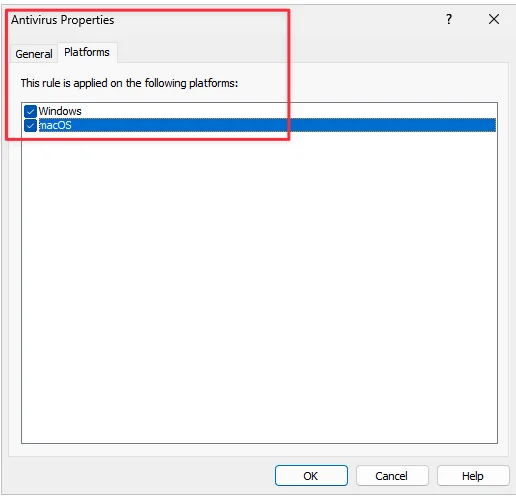
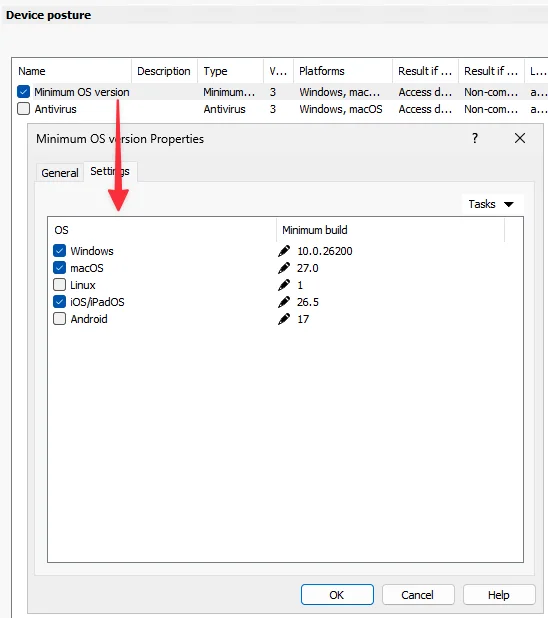
Device Posture is evaluated locally by Parallels Client, which then reports the resulting status to RAS. The documented checks cover minimum OS versions for Windows, macOS, Linux, iOS/iPadOS and Android; Windows Registry, UAC and automatic Windows Update; running processes; antivirus; and the Windows Firewall profile.

Running-process checks support required or prohibited processes on Windows, macOS and Linux. The sentinelagent.exe example in our lab is only an illustration of rule configuration; it is not a SentinelOne integration test. Antivirus relies on the operating system’s reported state. The guide does not describe product-level identification of Defender, CrowdStrike or Sophos, nor signature-freshness validation.
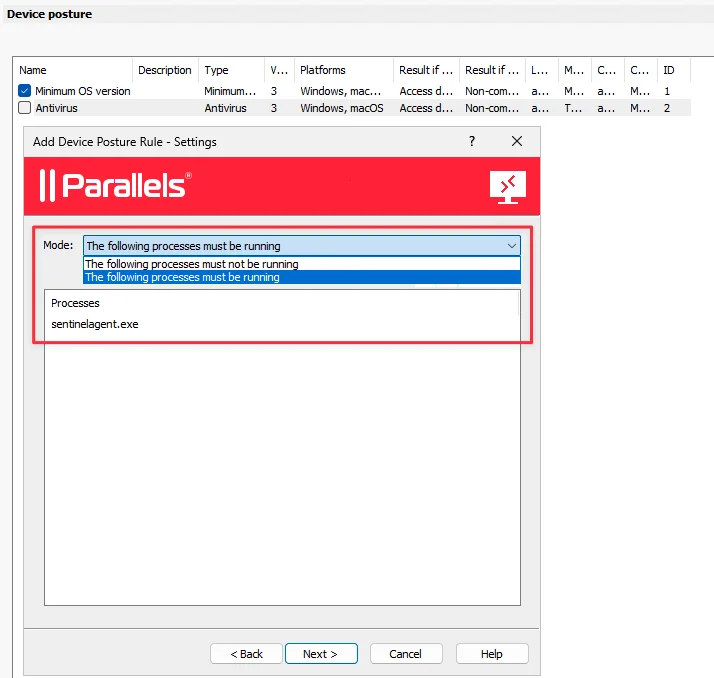
A rule can return either Access denied or Non-compliant, with a separate outcome when it cannot be evaluated. All checks except minimum OS version have a TTL and are re-evaluated while the user is connected. Access denied can disconnect a session that becomes non-compliant; Non-compliant keeps the session but changes its state. The combined status can feed Client Policies, logon hours, MFA and filtering. Pre-v22 clients are treated as non-compliant.
Gateway hardening: connection limits and temporary bans
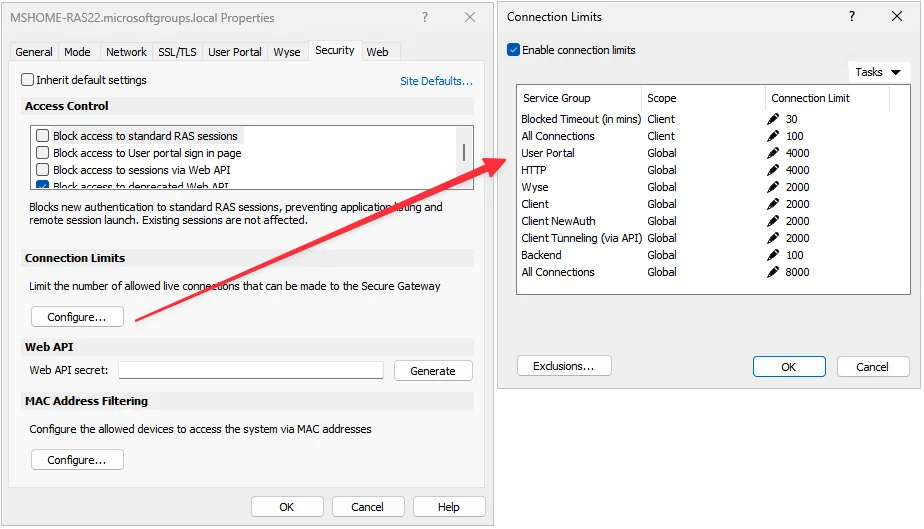
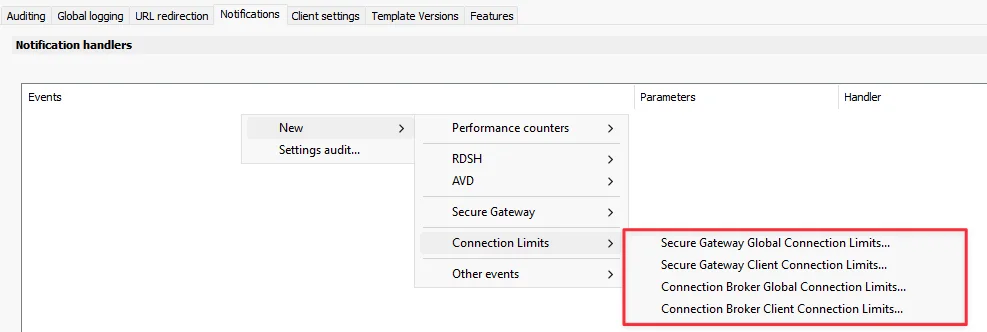
The console provides distinct concurrent-connection limits for the User Portal, HTTP, Wyse, Client, Client NewAuth, API tunnelling, Backend, plus global and per-IP scopes. On the Secure Gateway, repeated excesses can create a temporary Windows Firewall rule: 30 minutes by default, with IP address, time and reason logged. The documentation describes persistence across a reboot or service restart; CIDR/IP exclusions prevent the Firewall ban but do not bypass global limits. With Windows Firewall disabled, an excess connection is closed but no ban is applied.
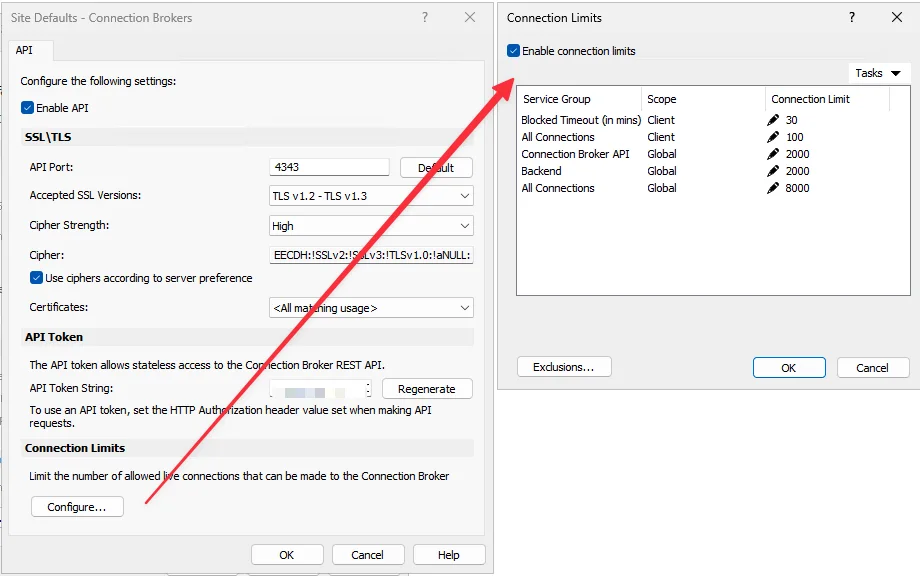
For the Connection Broker, the preview exposes API, Backend, global and per-IP limits. We do not assume that the Gateway-specific Firewall-persistence details apply to the Broker. We did not perform an autoban test in the lab.
Redirected-drive cache: per-session performance control
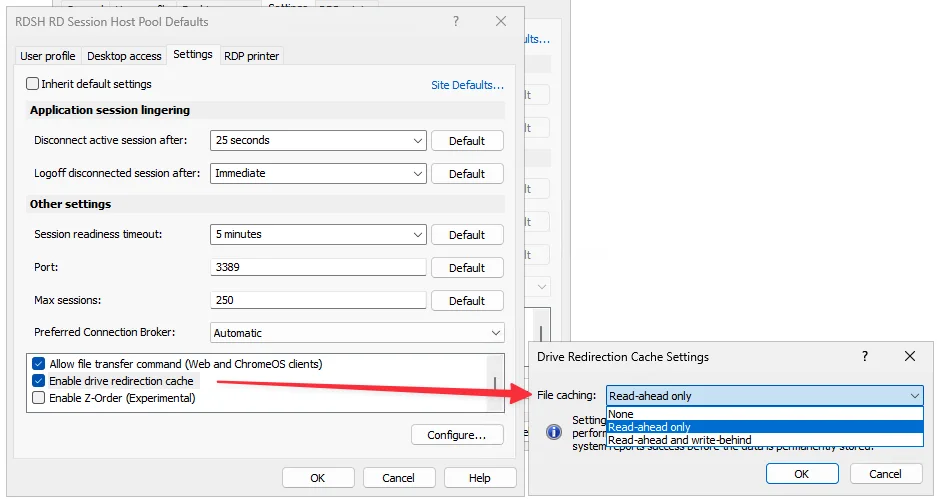
Enable drive redirection cache uses RasRdpFs and keeps a cache per session. It offers None, Read-ahead only — the default — and Read-ahead and write-behind. Write-behind cannot be used on its own. It can improve write performance, but the guide warns of potential data loss when a write is acknowledged before it reaches permanent storage.
The cache is cleared at logoff or disconnect. Activating it requires a reconnect, and disabling it purges the cache. The feature is 64-bit and documented for Windows client 18+ and macOS client 19+.
File Access: web access to existing shares
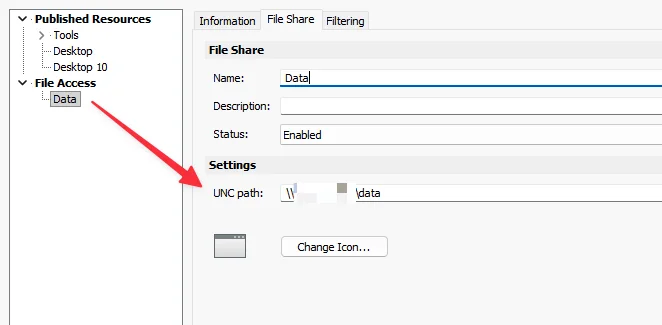
In our test, File Access worked in the HTML5 User Portal: files were visible, and upload and download worked. We did not observe folder creation. RAS presents an SMB 2.x/3.x share by impersonating the user; share and NTFS permissions remain authoritative, while RAS does not store or replicate the files.
The guide does not document DFS support, only the %username% path variable, and it does not create user folders automatically. File Access is User Portal-only. One important lab observation: opening a file from the portal requires a published RAS application associated with its extension. A PNG, for example, can open through a published and associated paint.exe. This is not intended to be a full remote Windows Explorer.
Session Recording: visible configuration, no functional validation yet
Session Recording is marked Experimental and Coming soon. The console already exposes Users, Capture, Detection, Storage and Display. We found settings for scale, quality, frame rate, bitrate and mouse pointer; continuous versus idle recording; storage quota, fragmentation and retention; and the status and control options presented to the user.
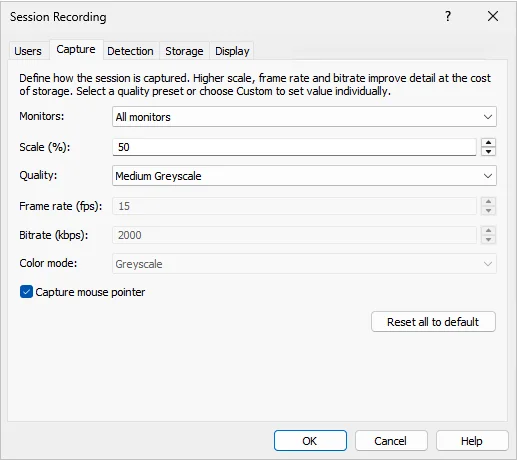
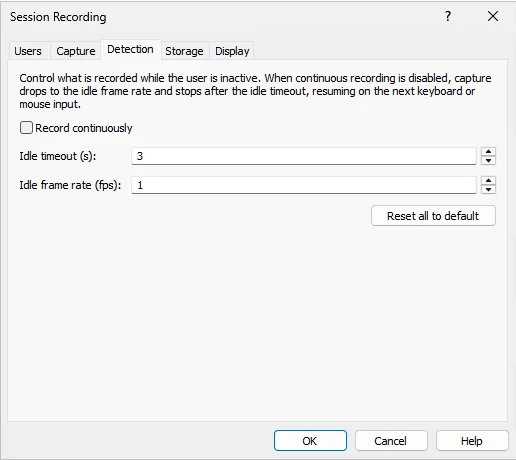
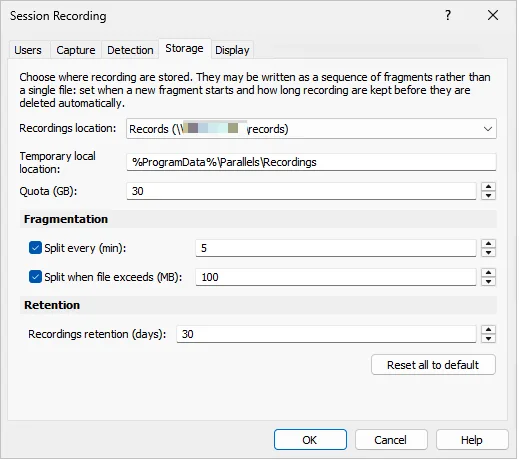
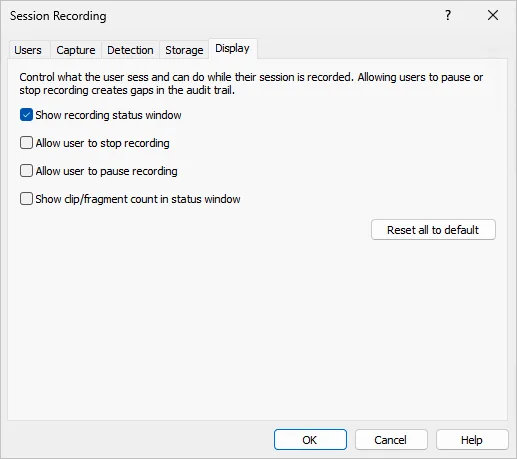
Our test did not produce an operational recording. We therefore have not validated capture, playback or a player. These screens are an interface preview only, not proof of end-to-end functionality.
SAML, public IP and additional hardening
A SAML identity provider can be used as primary web authentication or as second-level MFA after the primary credentials; for the latter, it must be assigned under Theme > Authentication > MFA Provider. Parallels also announces RunAsPPL improvements, but the beta guide does not explain the mechanism, so we are not inferring its behaviour.
For public IP, RAS can use the Parallels service or a custom HTTPS endpoint returning JSON ip, IP, ipString or ipAddress. %CLIENTPUBLICIP% is available for RADIUS, filtering/MFA/policies, Effective Access, and session information or CSV export.
RDSH maintenance and operations
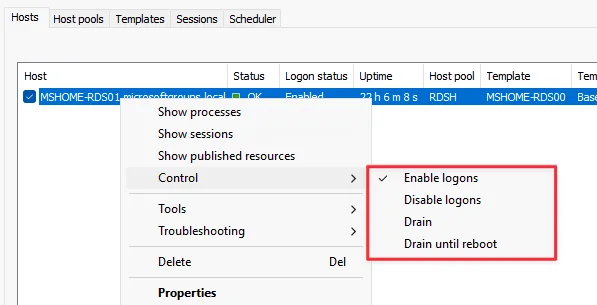
Uptime is now visible in the Hosts view, alongside Enable logons, Disable logons, Drain and Drain until reboot. A host already in drain mode should remain drained during an Agent upgrade. Pool workload is calculated as current sessions / maximum sessions × 100; disabled, drained and unverified hosts are excluded. The beta guide is still ambiguous about individual controls for templated hosts, so we will wait for the final documentation before drawing a conclusion.

Monitoring, certificates and a few useful details
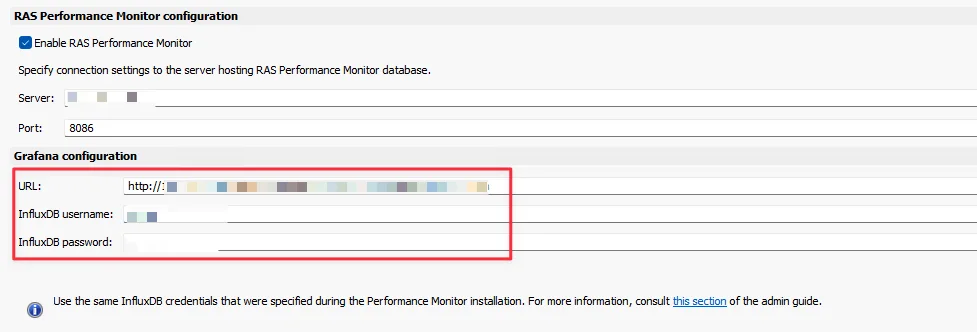
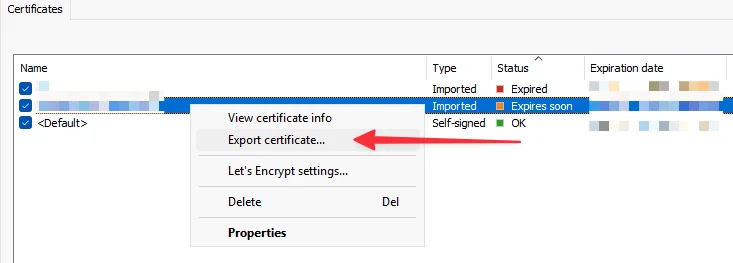
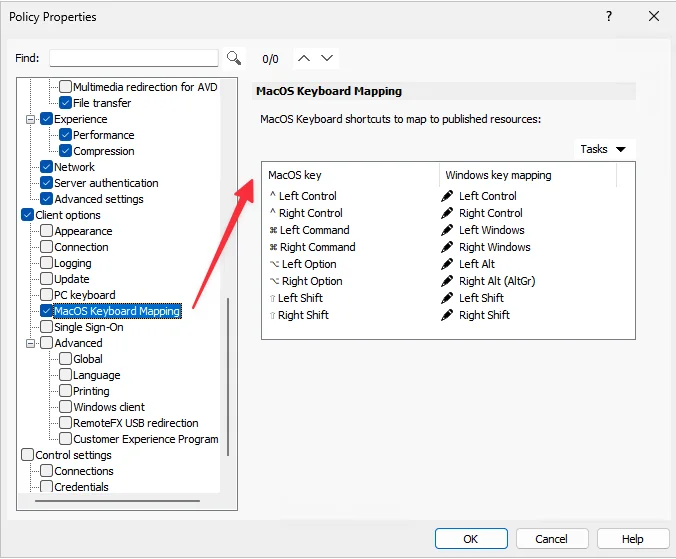
The Grafana configuration now accepts a URL containing host, port and path. InfluxDB credentials are optional for backward compatibility. PFX export is announced; the menu is visible in the build, but we did not validate a complete PFX export. A macOS keyboard-mapping policy is also available in Client Policies.
AVD Hybrid: one to watch
The documentation describes a model in which RAS retains on-premises management — templates, provisioning, autoscale, FSLogix and optimisation — while Azure Arc enrols the hosts. The relationship is one on-premises pool to one AVD Hybrid pool; a linked pool is no longer published directly by RAS. The guide references Microsoft Public Preview and host-pool validation. We did not test this capability in the lab, so this section is documentation-based only.
Conclusion
RAS 22.0 looks like more than a maintenance release. Device Posture, Gateway hardening, File Access and redirected-drive improvements bring tangible operational changes, while Session Recording and AVD Hybrid point to the next stage of the product. This is still a Technical Preview, and several capabilities need to be retested in later builds. We will update this article as RAS 22.0 evolves.