Parallels RAS 22 includes session recording, allowing administrators to retain a video trace of RDSH sessions. We configured it in our lab to follow the complete workflow: enabling the feature, selecting users, tuning capture quality, storing recordings, applying retention and playing sessions back.
Two levels of activation
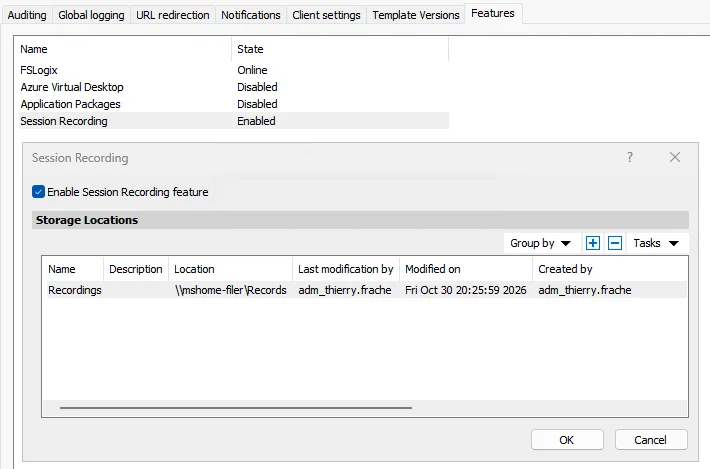
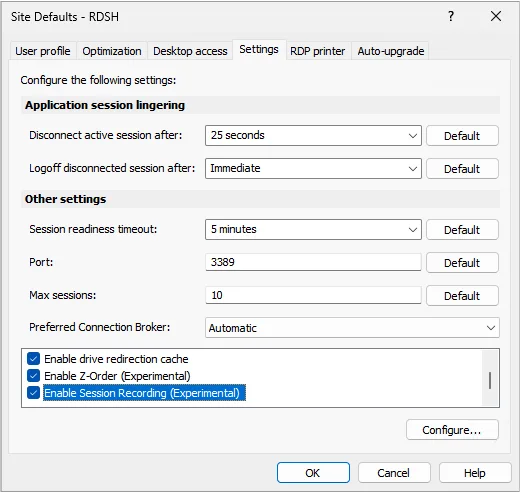
The feature is first enabled in the farm settings, under Features. In our environment, Session Recording is Enabled and points to the network location \\mshome-filer\Records. The Enable Session Recording (Experimental) option is then enabled in the RDSH pool settings. The same type of configuration can also be applied at site level.
Choosing who is recorded
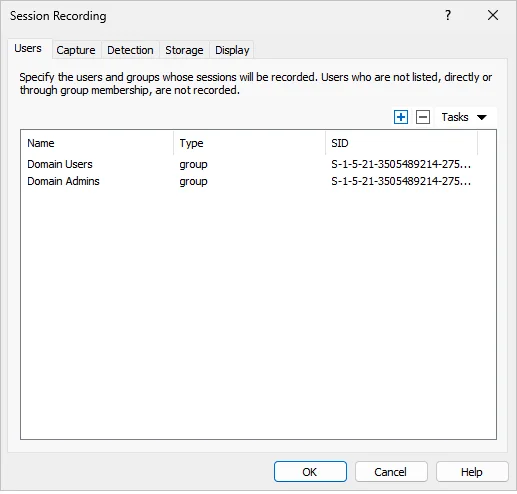
The Users tab defines the users and groups whose sessions are captured. In our test, Domain Users and Domain Admins are selected. A user who is neither listed directly nor a member of a listed group is not recorded.
Tuning the video capture
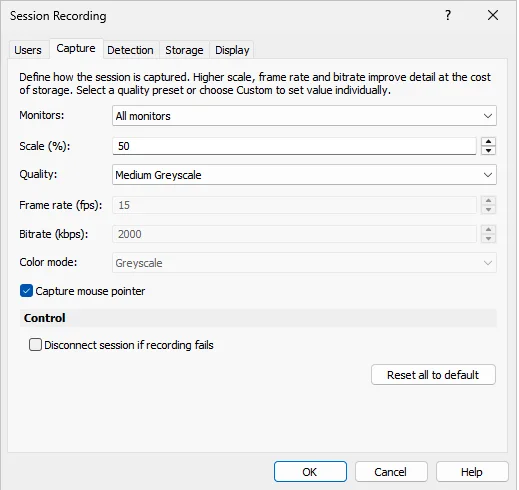
The Capture tab controls the monitors, scale, quality, frame rate and bitrate. Our configuration captures all monitors at 50%, using Medium Greyscale quality, 15 frames per second and 2,000 Kbps, with the mouse pointer included.
Reducing storage during idle periods
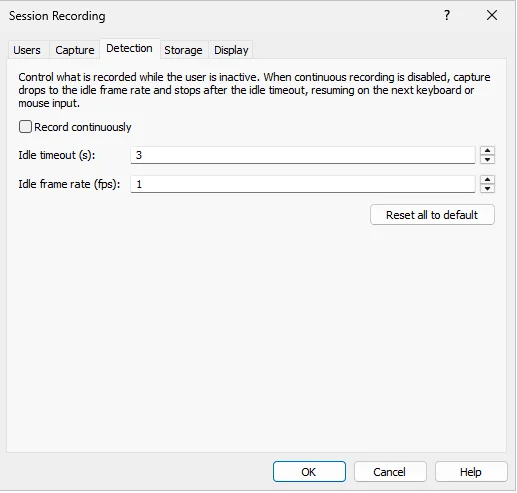
Continuous recording is disabled. After three seconds without interaction, the capture drops to one frame per second. It returns to the normal rate when keyboard or mouse activity is detected. This saves storage, but explains nearly static portions during playback.
Storage, fragmentation and retention
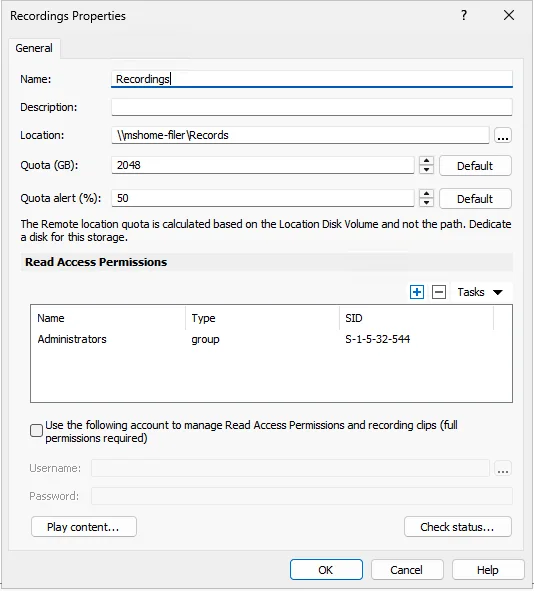
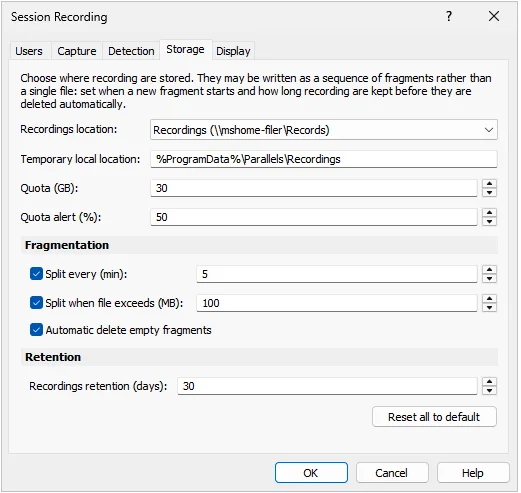
Recordings are stored on \\mshome-filer\Records. RAS also uses a local temporary location under %ProgramData%\Parallels\Recordings. Fragments are split every five minutes or when they exceed 100 MB. Empty fragments are removed automatically and retention is set to 30 days.
A visible indicator in the session
When recording starts, the user sees a status window with a red border and a timer. In our capture, the timer shows 00:00:54. The options allowing the user to stop or pause recording are disabled.

Playing recorded sessions
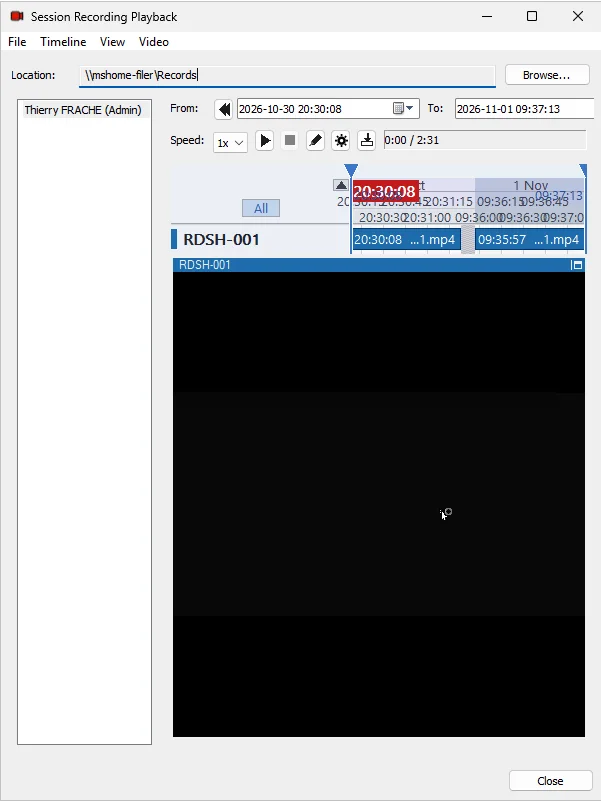
Session Recording Playback lets an administrator select the user, time range and server, then play the available fragments. In our test, sessions from RDSH-001 appear on the timeline and can be replayed from the Records share.
What happens if recording fails?
Disconnect session if recording fails is disabled in our configuration. A recording failure therefore does not terminate the user session: it may continue without a recording. For strict compliance requirements, this setting deserves careful consideration.
Our conclusion
RAS 22 provides a complete chain: central activation, group-based targeting, multi-monitor capture, reduced capture during idle time, network storage, retention and playback. The console still labels the feature Experimental, so storage growth, playback permissions and failure behavior should be validated before a broad rollout.
Tests performed in a Parallels RAS 22 lab. The settings and results described here match our test configuration.