Device Posture is one of the most interesting security additions in Parallels RAS 22. The idea is straightforward: check the client device before allowing a session, then use its compliance state in RAS policies. We tested the feature with three generations of Parallels Client to see what actually works in the field.
What can be checked?
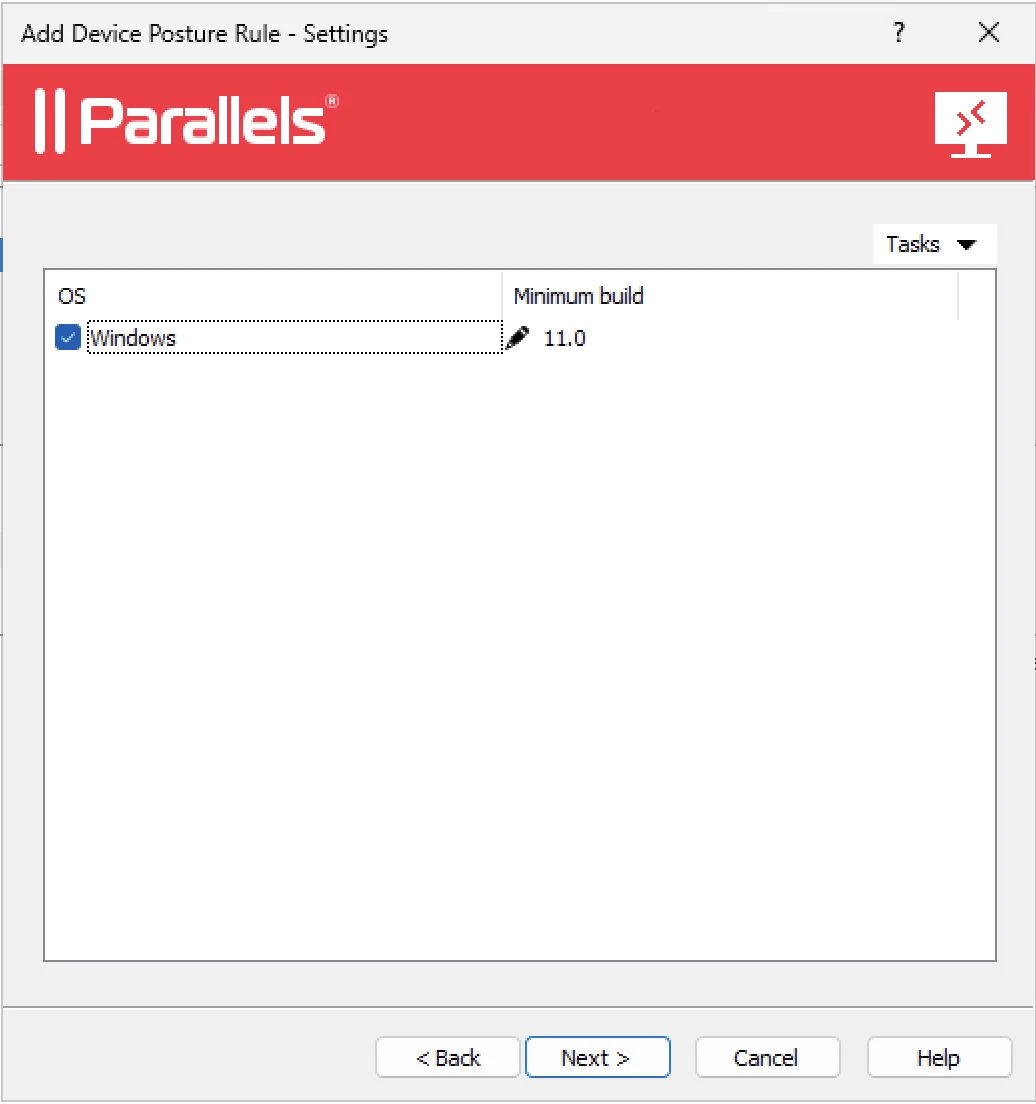
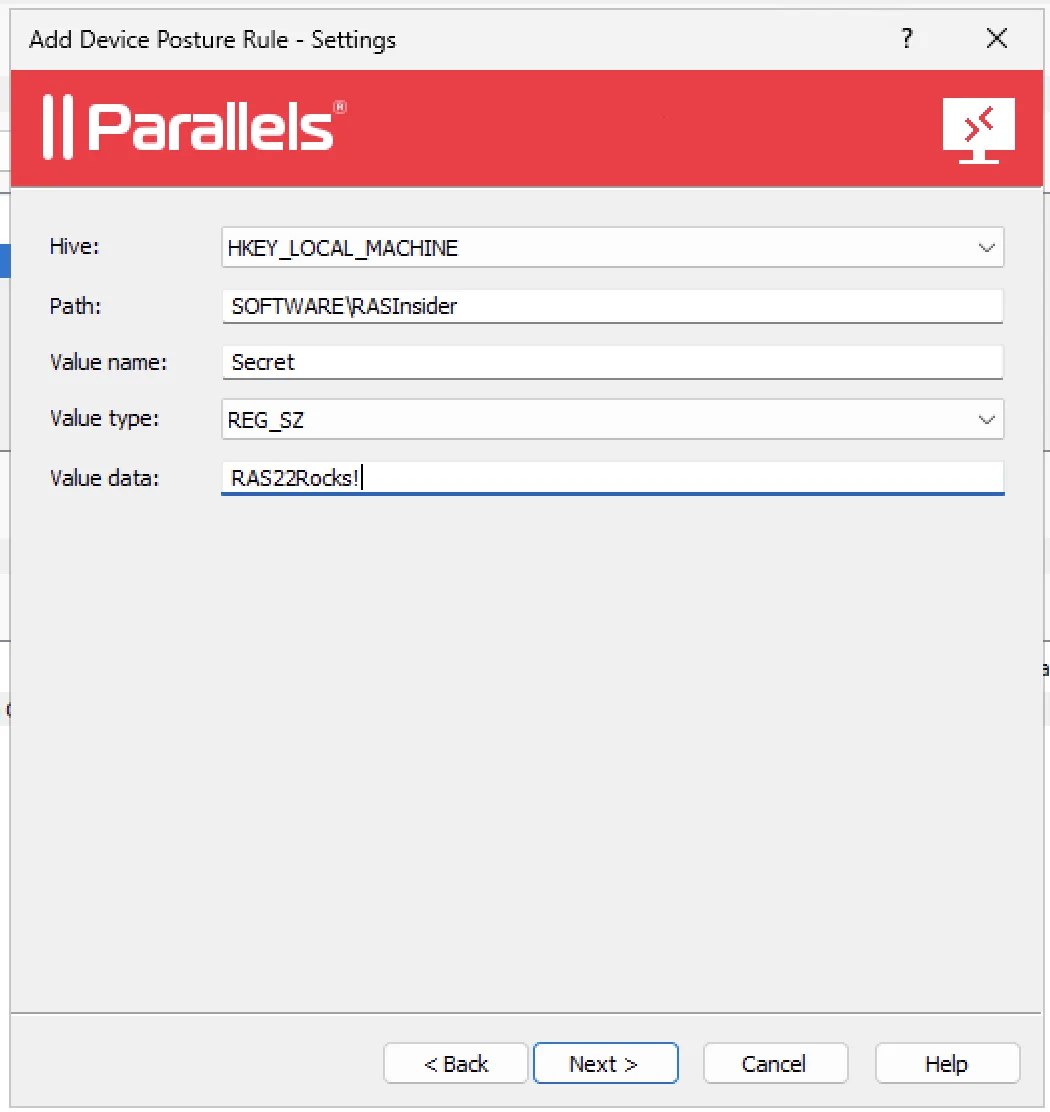
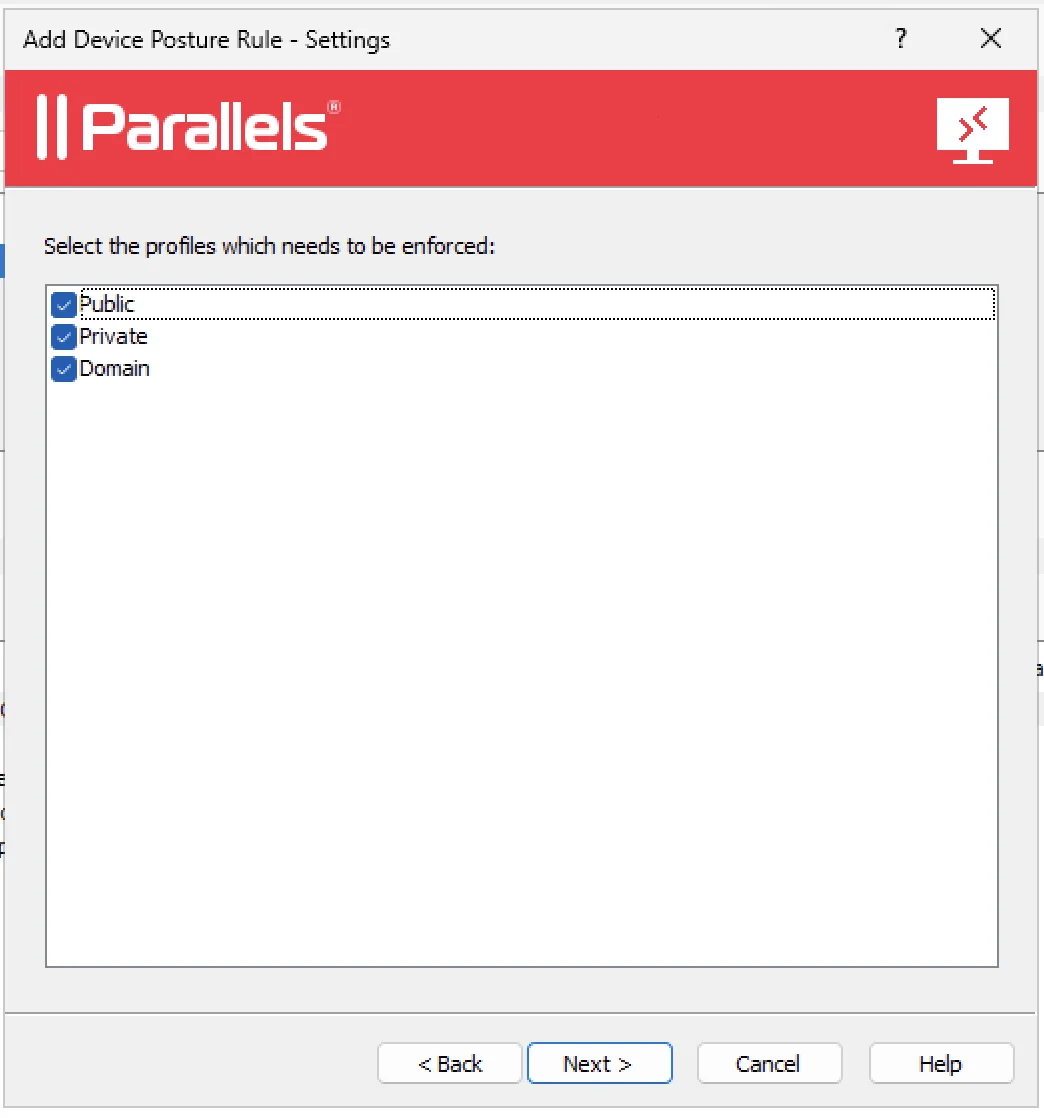
RAS 22 exposes rules for the minimum Windows version, registry values, UAC, Windows Update, running processes, antivirus state and Windows Defender Firewall profiles.
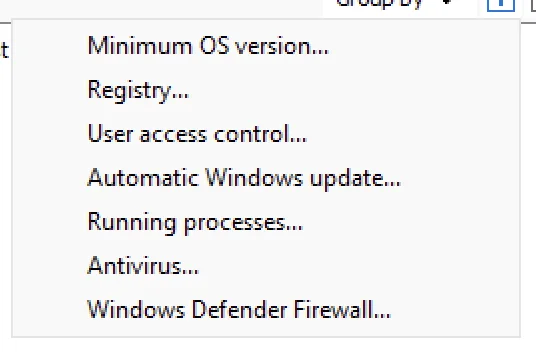
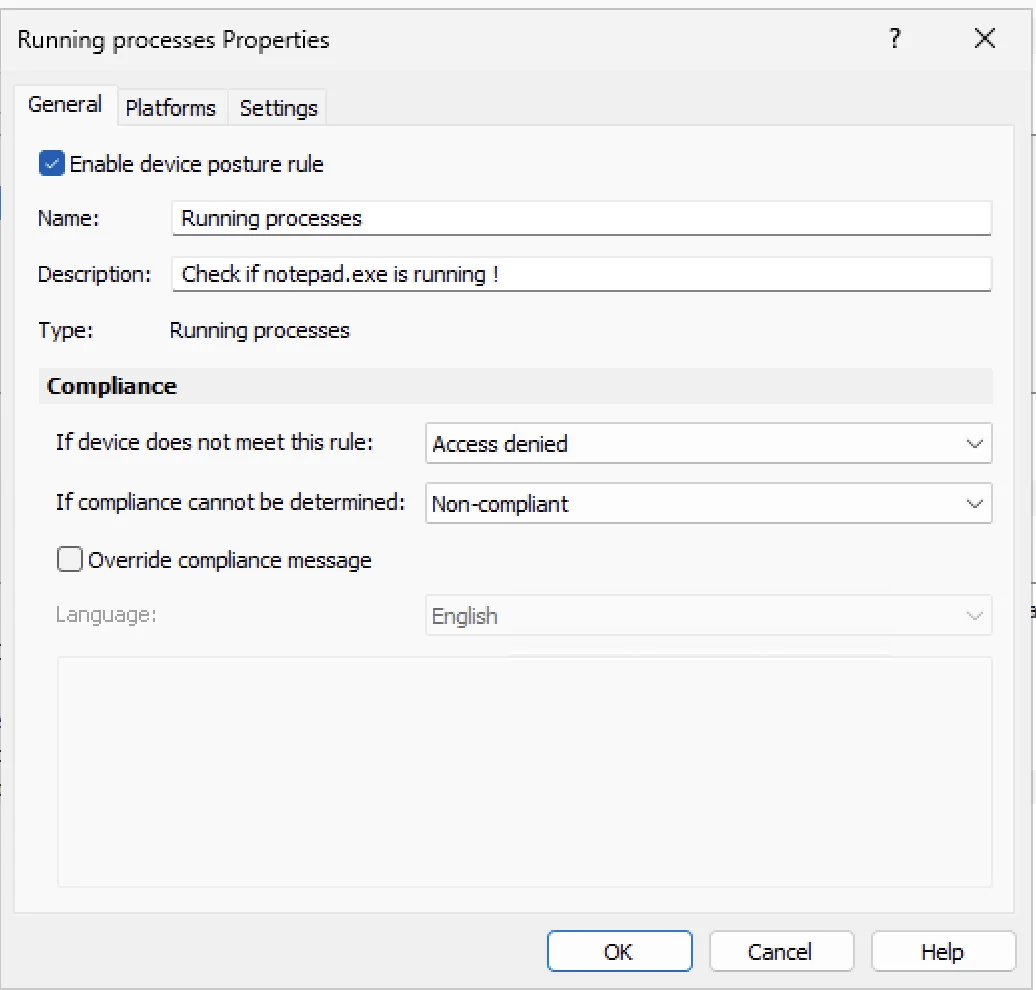
Each rule can be enabled, documented and configured with a different outcome depending on the evaluation result.
Access denied, Non-compliant and Compliant
When a rule is created, RAS distinguishes between a device that was evaluated and failed the rule, and a device that could not be evaluated. In both cases, the administrator can either deny access or keep an explicit non-compliant state.
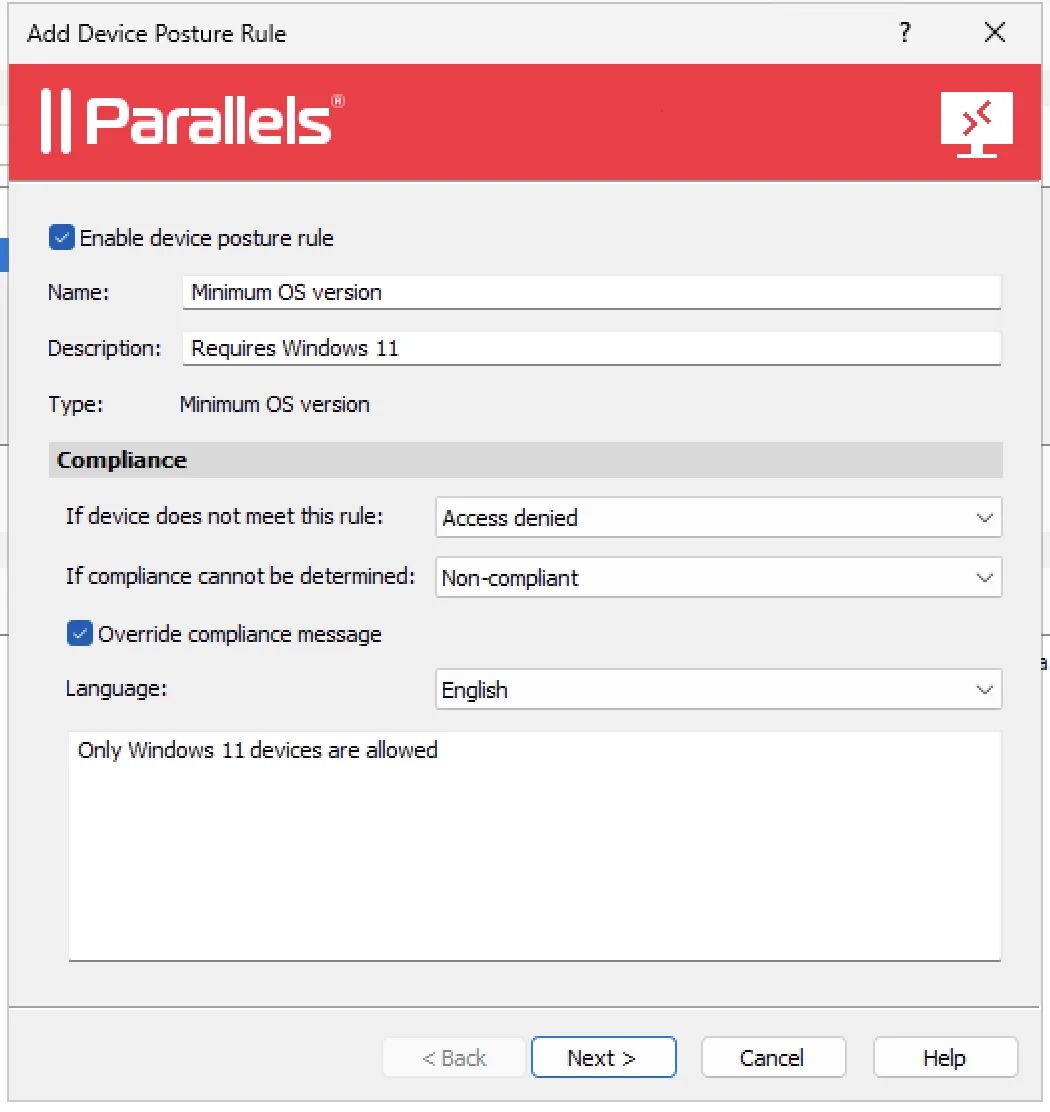
- Access denied blocks the connection, and can disconnect a session that later becomes non-compliant.
- Non-compliant keeps the session running while exposing its state to RAS mechanisms.
- Compliant can also be used to target a policy for compliant devices.
- Not evaluated allows older or unsupported clients to be handled separately.
Device Posture can drive a Client Policy
The result is not just an error message. In a Client Policy, Device Posture can be used as a criterion: apply the policy when the device is compliant, non-compliant, or optionally when it cannot be evaluated.
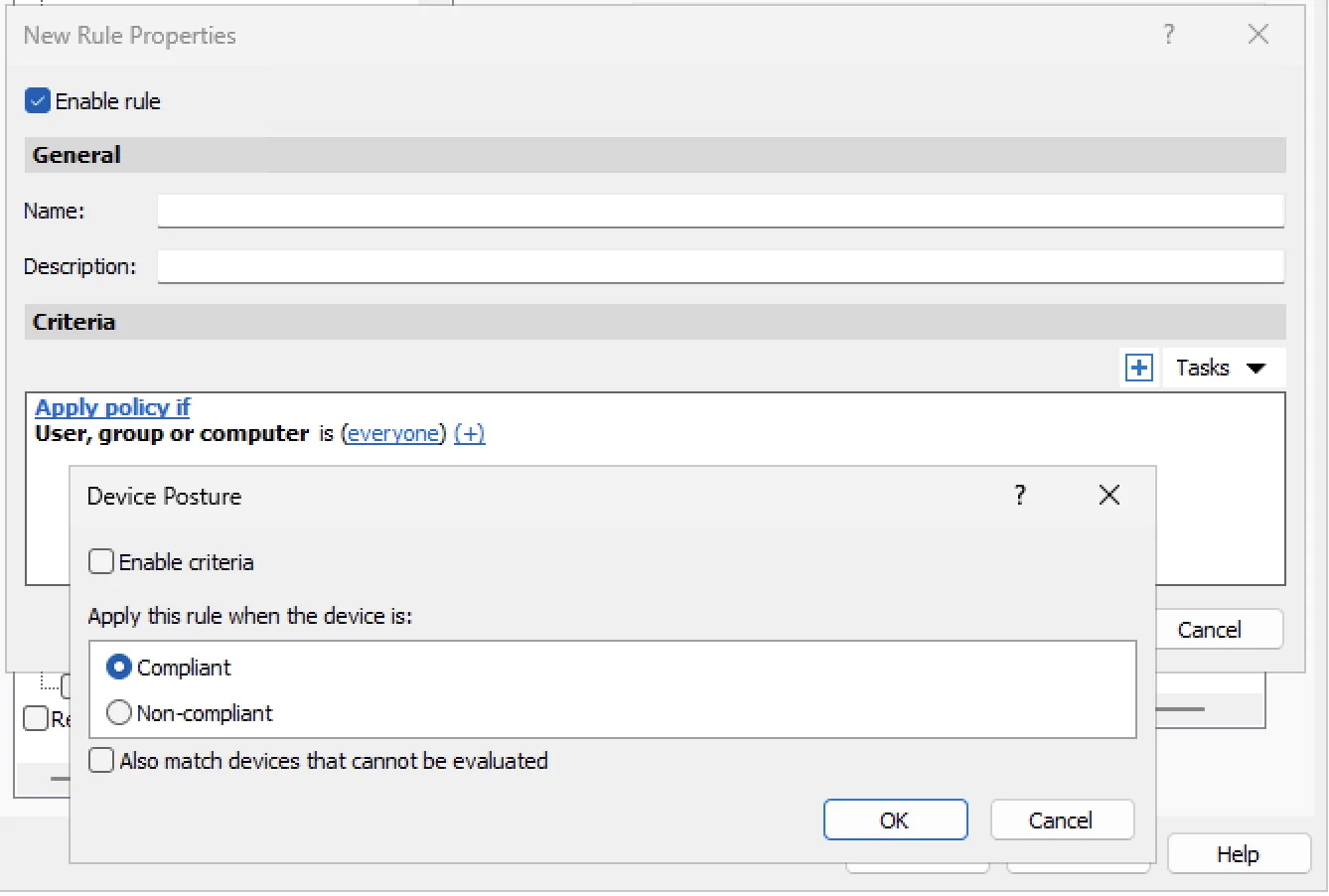
This enables useful scenarios: keep access but restrict features on a non-compliant device, apply a stricter policy, or provide the full experience to compliant devices.
Our test configuration
We configured seven rules to deny access when a check actually failed and to mark the device non-compliant when a check could not be evaluated.

The scenarios were deliberately easy to reproduce: Windows 11 minimum, missing registry value, disabled UAC, required process, antivirus, Windows updates and firewall profiles.
Client version changes the coverage
This is the key finding from our tests. The configuration lives in RAS 22, but the evaluation is performed by the client installed on the device.
| Client tested | Observed coverage |
|---|---|
| 20.2.26020 | Minimum OS, registry and UAC |
| 21.2.27429 | Minimum OS, registry and UAC |
| 22.0.28160 | Full coverage of the Windows checks tested |
With Clients 20.2 and 21.2, the rules are visible in the console, but process, antivirus, Windows Update and firewall checks are not all reported. They therefore follow the configured outcome for a check that cannot be determined.
With Client 22.0, we confirmed full coverage of the configured Windows checks. Older clients should not be treated as equivalent to a RAS 22 client.
Still mainly Windows-oriented
The final RAS 22 documentation describes Device Posture assessments through the Windows client. The detailed checks we tested — registry, UAC, processes, antivirus, Windows Update and Windows Defender Firewall — are clearly tied to Windows.
We have not confirmed equivalent coverage for macOS or Linux. Device Posture should therefore not be presented as an identical cross-platform control matrix: in the tested release, the deepest coverage is on Windows.
Conclusion
Device Posture is a genuine RAS 22 addition, but its effectiveness depends on the client version. To obtain the full Windows coverage, deploy Client 22. Older clients can still be evaluated partially, while some rules will remain unevaluable.
Our next tests will focus on how older clients behave when a policy is applied, and on the actual possibilities for macOS and Linux. We will publish the results as the series continues.
Tests were performed in a RAS 22 lab environment. Results describe the tested builds and do not replace Parallels documentation or official compatibility matrices.