Context
I wanted to confirm for myself that an IGEL OS 12 endpoint could act as an access point to a Parallels RAS farm, managed end to end from a UMS. The result: an IGEL endpoint in my lab opens a session on the RAS Insider farm, over the Internet, through its Secure Gateway lab.rasinsider.com. Exactly as a remote worker would.
My starting point:
- two ESXi hosts at home, with a DC (
lab.auditms.fr) and a small OpenVPN VM to manage the lab from the office; - an existing Parallels RAS farm, hosted on another lab and published to the Internet through its Secure Gateway;
- no IGEL license at all, just the free License Portal and Customer Portal accounts.
What I wanted to validate, in order:
- A working UMS 12 on a modest lab setup.
- An IGEL OS 12 endpoint managed by that UMS, testing along the way the conversion of an old Windows 10 with OSCW, a typical fleet-migration scenario.
- The Parallels Client deployed from the UMS, and a RAS session opened from the IGEL.
Research
Most of the time, I didn’t spend it on RAS but on IGEL: the UMS, the licensing and the conversion. Here is what I learned, obstacle by obstacle.
The UMS on Ubuntu: RAM above all
I chose Ubuntu 24.04 over Windows Server to save ESXi RAM. The UMS installer states requirements of 4 GB for the server and 1 GB for the Web App, and it’s right: at 4 GB, the bundled Elasticsearch times out and the Web App stops responding. I needed 6 GB for stable operation. Two universe-repository packages (libqt5core5t64, pamtester) are missing on a minimal install and block the installer.
Web App or Console: you still need both
I hoped to do everything from the Web App. It can export the UMS ID, scan the network, register endpoints, import apps from the App Portal and create IGEL OS 12 profiles. What it cannot do is create an “IGEL Unified Management Agent” profile, the one that drives the OSCW conversion. The server log is explicit: OS11 profile must specify a firmware version, and the Web App wizard offers no firmware field. So for OSCW I installed the Console in “client-only” mode on my machine.
The OSCW conversion works, with three pitfalls
- In the Converter profile, the ISO name defaults to
osc.iso. With a different file name, the agent shows “missing IGEL linux image (ISO)”. - The “Convert to IGEL OS” command is greyed out on the endpoint. It only becomes active on a directory that contains the endpoint.
- On a VM with Secure Boot enabled, the reboot fails with “Windows Boot Manager… Security Violation”. You have to disable Secure Boot.
Licensing, the real wall
The conversion worked, but the endpoint booted straight into managed mode, skipping the Setup Assistant. So it ran on a Starter License, quickly declared expired: “License is expired. App portal has been disabled”. Without the App Portal, installing the Parallels Client is impossible.
I understood three things:
- The free 90-day evaluation license is obtained only in the Setup Assistant, at the first boot of a fresh install.
- It is tied to the endpoint: the UMS cannot transfer it.
- The UMS only distributes the packs present in the License Portal. With zero packs, it has nothing to hand out.
So I did a fresh install of IGEL OS 12 from the ISO, on a new VM, to get the evaluation. The converted VM stays in the lab, but only as a demo of the OSCW conversion.
RAS: go through the Secure Gateway
My home lab and the lab hosting the RAS farm use the same addressing plan, 192.168.1.0/24. Linking them with a site-to-site VPN would have meant NAT everywhere. Since the farm is already published through its Secure Gateway, the simplest path was to reach it over the Internet, in Gateway SSL mode on port 443. It’s also the most representative scenario for a remote endpoint.
Solution
Here is the procedure I’d run again exactly as is, from the UMS to the RAS session.
1. The UMS
- Ubuntu 24.04 LTS VM: 2 vCPU, 6 GB of RAM, 40 GB, static IP, full FQDN in
/etc/hosts(hostname -fmust return the full name). - Prerequisite packages, then the installer:
sudo apt -y install libqt5core5t64 pamtester unzip
chmod u+x setup-igel-ums-linux_12.15.100.bin
sudo ./setup-igel-ums-linux_12.15.100.bin- In the installer: Complete, Web App ticked, Internal database. The account created at this step becomes the UMS superuser.
- Web App (
https://<ums>:8443/webapp/) > Settings > Licenses / UMS ID > Export the UMS ID, then register it in the License Portal.
2. The IGEL OS 12 endpoint, with its evaluation license
- Debian 12 64-bit VM: 2 vCPU, 2.5 GB, 16 GB, EFI without Secure Boot. Mount the ISO
osc-12.x.x.iso(preparestickfolder of the “IGEL OS 12 OS Creator” zip). - Standard installation, then Install IGEL OS, then accept the EULA.
- Setup Assistant: skip the Onboarding Service, then “IGEL OS 12 Evaluation License” > “for your company” > form. Expected confirmation: “Your license has been fetched”.
- Web App > Devices > Device discovery: scan the endpoint’s IP, then Register.
3. The Parallels Client and the RAS session
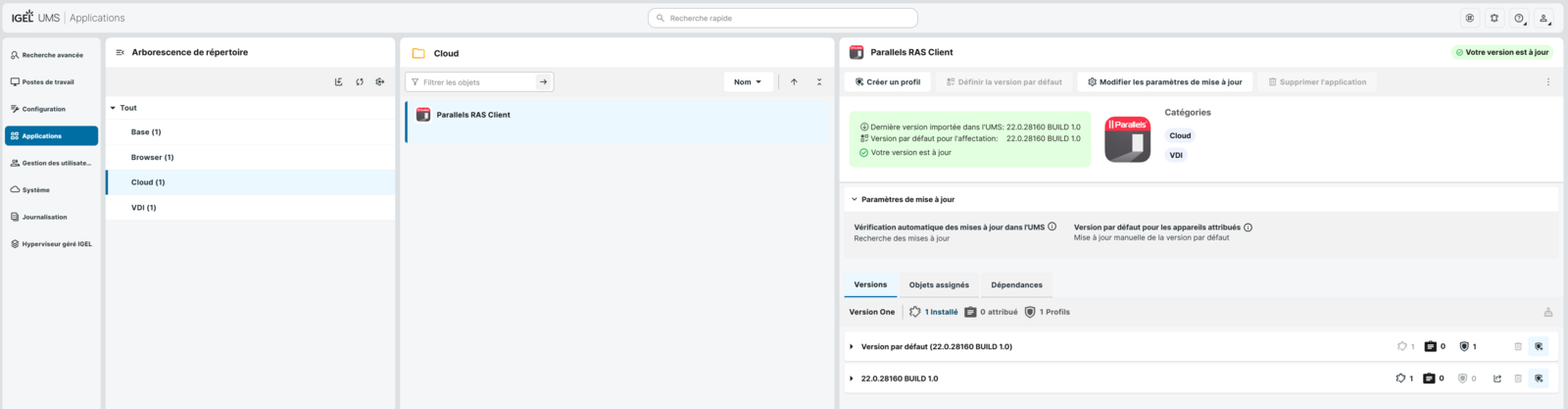
- Web App > Apps > App Portal: import Parallels RAS Client.
- From the app page, “Create a profile”. Under Parallels RAS > Connection properties:
| Parameter | Value |
|---|---|
| Primary Connection | lab.rasinsider.com |
| Connection Mode | Gateway SSL Mode |
| Port | 443 |
| Friendly Name | RAS Insider |
| Domain | the farm’s AD domain |
| Username | Disabled, entered at launch |
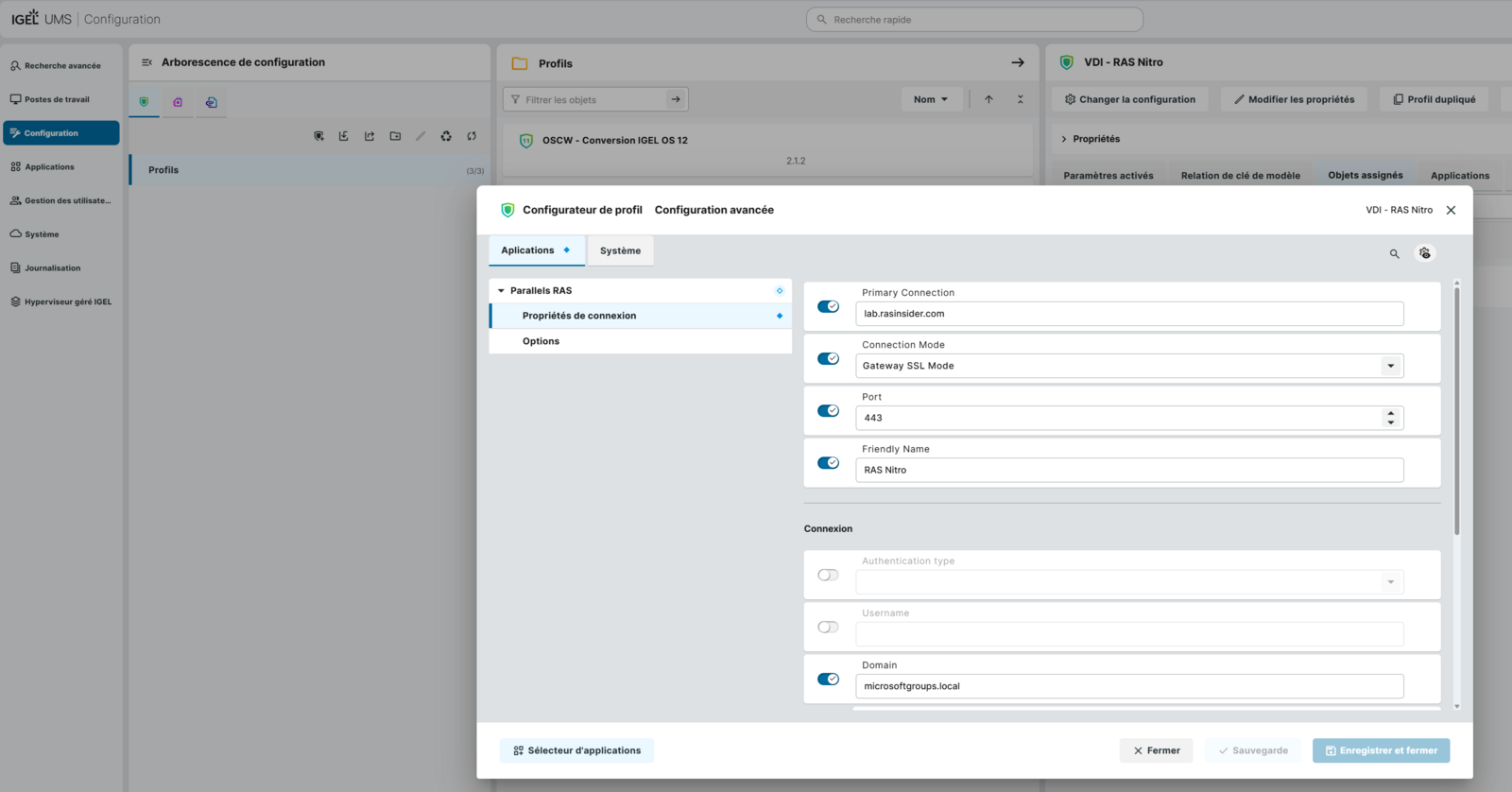
lab.rasinsider.com, Gateway SSL Mode, port 443.- Assign the profile to the endpoint, then reboot. The app only installs on reboot.
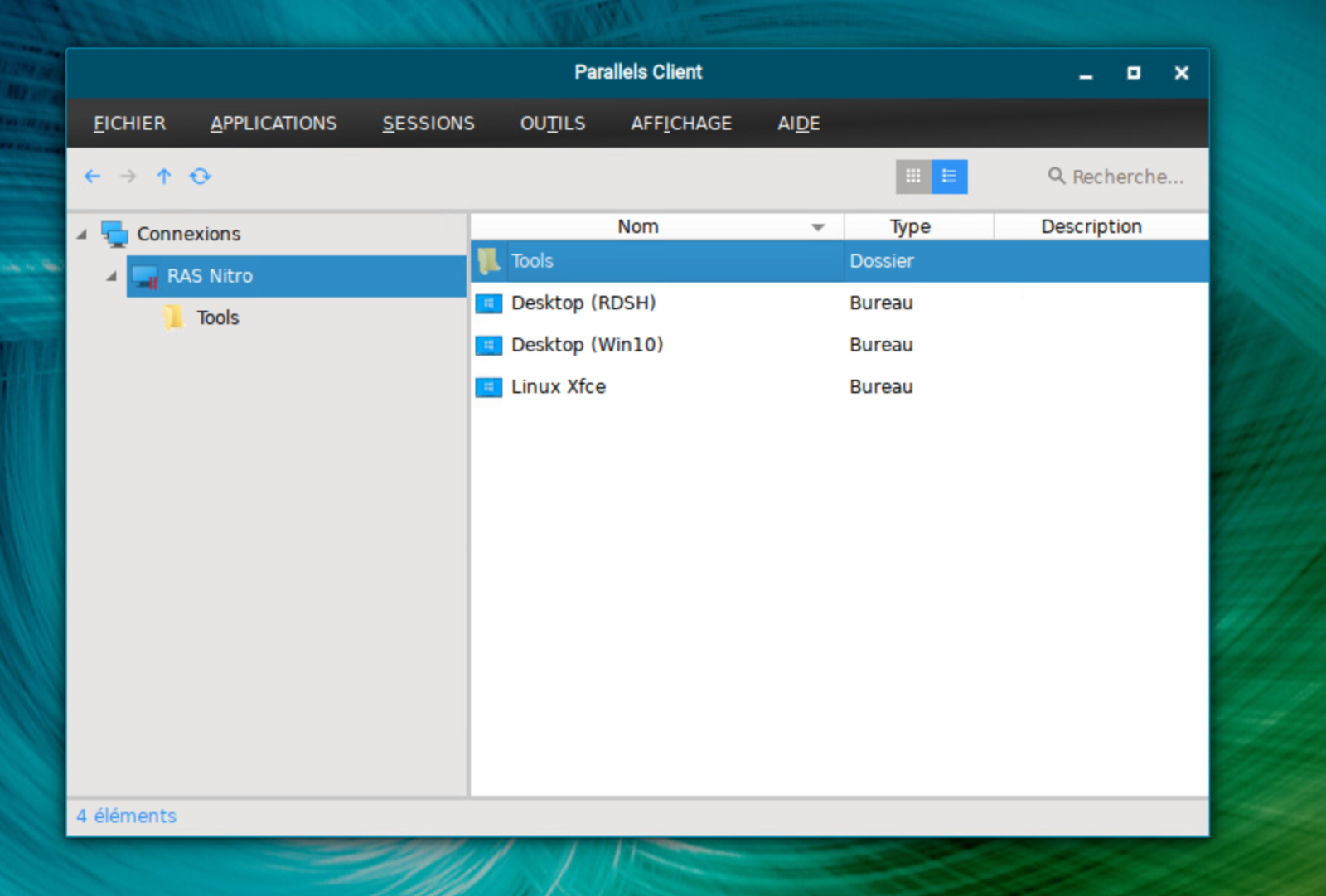
- On the IGEL: Start menu > RAS Insider, then AD login. The session opens.
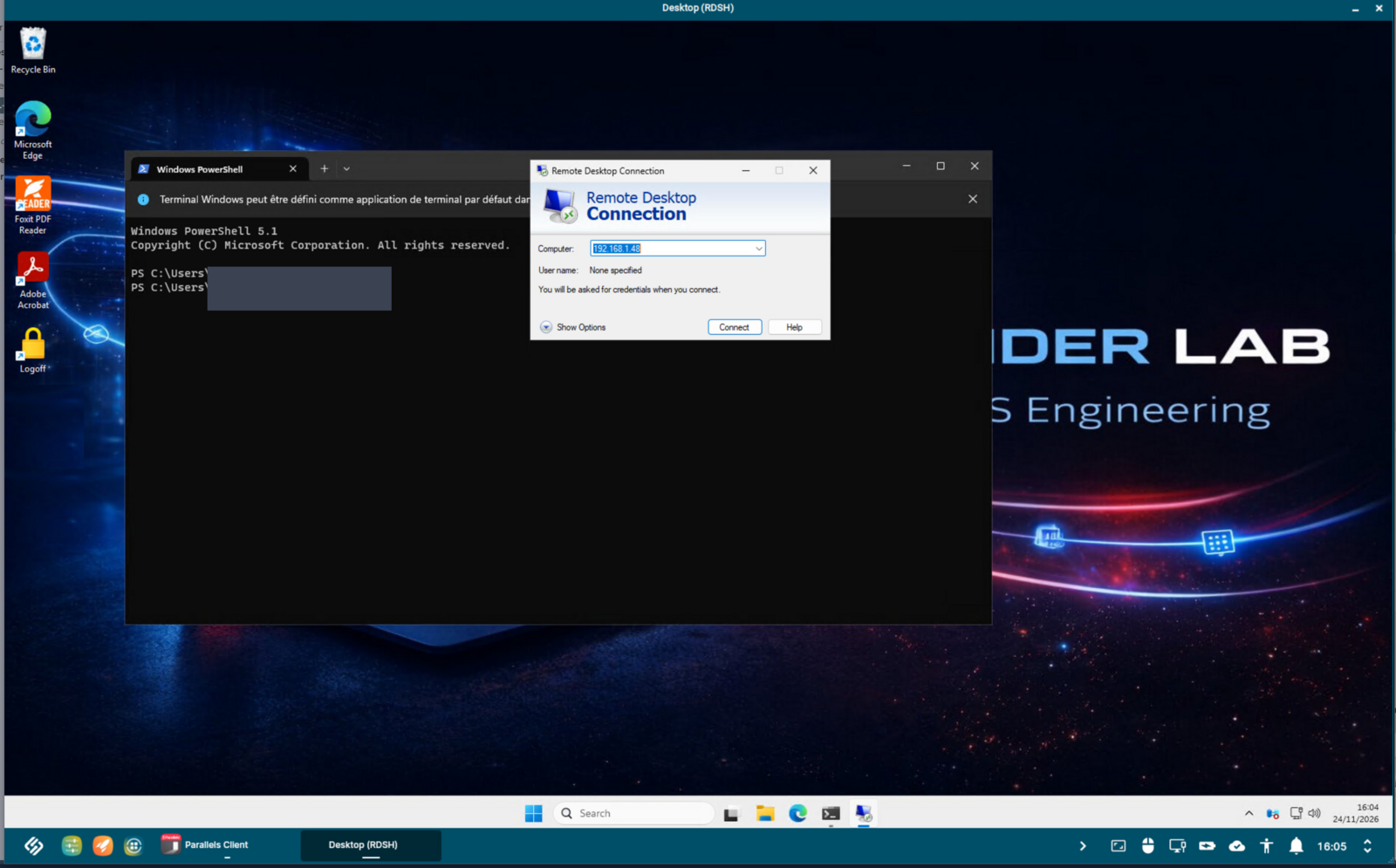
To check beforehand that the gateway is reachable from the endpoint’s network, run a simple curl from the same network. A 200, 302, 303 or 403 code means it responds:
curl -sk -o /dev/null -w "%{http_code}n" https://lab.rasinsider.comWhat I take away for a client deployment
- Licenses first. You must order or obtain the packs (eval, NFR or purchased) before touching the endpoints, and assign them to the UMS ID. The UMS then deploys them on its own. Without a pack, an OSCW conversion yields managed but blocked endpoints, with no App Portal.
- Size the UMS properly. 4 GB is too little as soon as you use the Web App. In production, plan for at least 8 to 16 GB and an external database (SQL Server or PostgreSQL).
- Keep the Console. The Web App doesn’t cover everything yet, in particular the Unified Management Agent profiles for OSCW.
- Secure Boot. Check the “Allow Microsoft 3rd Party UEFI CA” setting on the client’s hardware before a conversion, or handle it in the BIOS.
- The RAS Gateway. Gateway SSL mode on port 443 works as is from IGEL OS 12, on the LAN as well as over the Internet. It’s the configuration to favour for roaming endpoints.
- Two logins, no SSO. According to the Parallels forum, the Parallels client on IGEL OS 12 has no SSO setting. The endpoint login and the RAS login therefore stay separate, and you need to tell the client about it from the pre-project stage.
The next step in my lab: IGEL login via Entra ID SSO, then the Intune agent for IGEL OS.
Go further
The farm also publishes a Linux desktop (the “Linux Xfce” resource visible in the client). If that interests you: