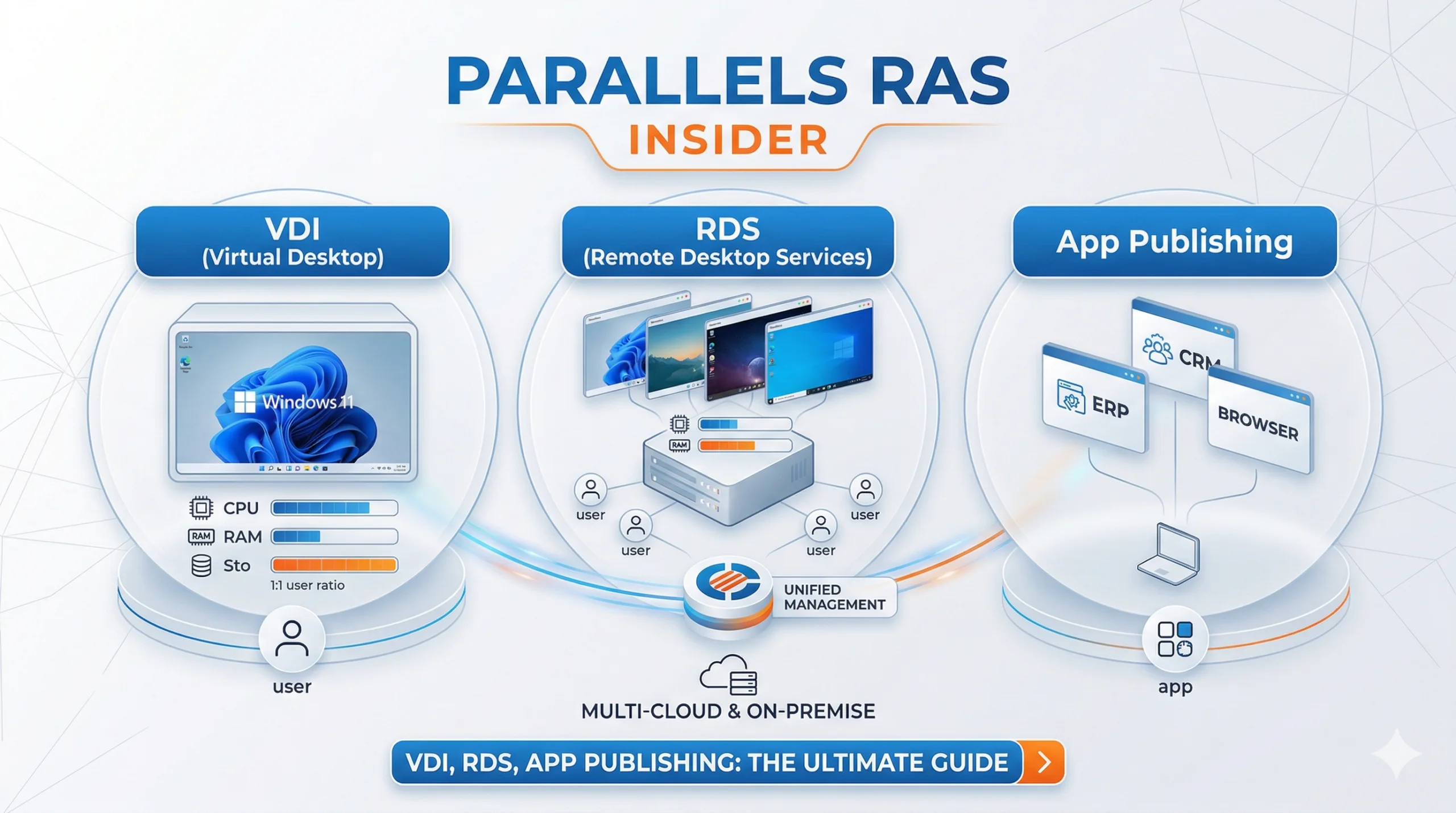
VDI (Virtual Desktop Infrastructure) has become a central pillar for companies seeking to offer maximum flexibility to their employees. In a world where remote work is becoming the norm, understanding how to effectively deploy virtual desktops is crucial.
However, choosing the right technology between VDI, RDS, and application publishing can be complex. This article guides you through these concepts and explains how Parallels RAS simplifies their daily management.
Understanding Virtualization Fundamentals
To make the right choice, it is essential to precisely define each technology and its specific use case.
What is VDI?
VDI relies on hosting desktop operating systems (often Windows 10 or 11) within virtual machines on a centralized server. Each user has their own dedicated resources ($CPU$, $RAM$, $Disk$).
Consequently, this approach offers a personalized and isolated experience. It is the ideal solution for profiles needing specific configurations or handling sensitive data.
Remote Desktop Services (RDS) Explained
Unlike VDI, RDS allows multiple users to share the resources of a single Windows Server instance.
Users connect to separate sessions but share the same OS kernel. This is an extremely cost-effective method for providing standard office tools to a large number of employees simultaneously.
Application Publishing: Agility First
Application publishing allows for delivering only a specific software (like an ERP or CRM) to the user’s device, without providing a full desktop.
The application appears to run locally while running on a remote server. Furthermore, this significantly reduces the required bandwidth and simplifies business software maintenance.
| Features | VDI (Virtual Desktop Infrastructure) | RDS (Remote Desktop Services) | Application Publishing |
| Isolation | Total (1 VM per user) | Shared (Server session) | Application level only |
| Personalization | Very High | Limited | None (App focus) |
| Resource Consumption | High | Moderate | Low |
| Management Complexity | High | Medium | Low |
| Cost per User | Higher | Economical | Very Economical |
Why Choose Parallels RAS for Your VDI Infrastructure?
Parallels RAS (Remote Application Server) stands out as an “all-in-one” solution that unifies the management of VDI, RDS, and Cloud.
Simplified and Centralized Management
One of the main advantages of Parallels RAS is its single administration console. You can deploy VDI VM clones or session servers in just a few clicks.
Thanks to this intuitive interface, administrators reduce time spent on repetitive tasks. Therefore, business agility is significantly enhanced.
Seamless User Experience on All Devices
Parallels RAS excels in delivering content to any device (PC, Mac, iOS, Android, Chromebook). Thin client technology allows secure access via a simple HTML5 browser.
Additionally, protocol optimization ensures minimal latency, even on unstable internet connections. Users can find their work environment anywhere, anytime.
Strategic Benefits of App Publishing with Parallels
Application publishing via Parallels RAS offers a significant additional security layer for professionals.
- Data Security: No data leaves the data center; only the display stream is transmitted.
- Cost Reduction (TCO): Extend the lifespan of your hardware by using thin clients or older devices.
- Instant Updates: Update an application once on the server to make it available to all users.
Hybrid and Multi-Cloud Integration
Modern VDI is no longer limited to on-premises servers. Parallels RAS allows native integration with Microsoft Azure and AWS.
This flexibility enables the creation of hybrid environments where some workloads remain local for compliance reasons, while others scale in the Cloud to absorb peak activity.
Take it to the next level: To see these technologies in action and test the power of this tool for yourself, check out our detailed Parallels RAS Lab presentation and learn how to set up your environment in minutes.