Context
First of all, deciding to switch to Mac was a major step after spending my entire career in the Windows ecosystem.
Indeed, many IT administrators believe that macOS is just for creative professionals rather than technical experts.
However, my personal experience tells a very different story.
Furthermore, the transition period proved to be much shorter than I originally anticipated.
Consequently, I quickly realized that my daily tools were not only available but often more stable.
Finally, this article details why I am never going back to my old setup.
Let’s be clear: I wasn’t an Apple fan to begin with.
For a long time, Mac meant design and marketing — not a serious professional tool for my field.
And yet.
A gradual transition
Looking back, I didn’t switch to Mac overnight.
It happened naturally over time:
- Apple Watch Series 6
- Apple Watch Ultra 2
- Apple TV
- HomePod
- Home automation with Meross
At that point, I wasn’t testing Apple anymore. I was already living in its ecosystem.
One piece was missing: the Mac.
The Mac: not a desire, a necessity
Buying a Mac wasn’t about wanting one. It was about needing one.
On recent projects involving Parallels RAS, it became obvious:
- testing real macOS use cases
- validating user experience
- working in production-like conditions
The alternatives weren’t good enough:
- macOS VMs → degraded experience (especially no Retina), average performance
- and questionable licensing compliance
At some point, continuing without a Mac simply stopped making technical sense.
The daily experience
From the very first hours, a few things stood out.
Unlocking the Mac automatically with my watch removes unnecessary friction.
Startup is instant.
The machine is completely silent.
And then there’s something I didn’t expect:
the keyboard.
The typing feel is precise, consistent, and extremely comfortable.
After a few days, going back to a standard keyboard feels… off.
It may seem like a small detail, but when you spend your days typing, it makes a real difference.
But more importantly, battery life completely changes how you work.
A very concrete example:
3.5 hours on a train, heavy usage. 20% battery used.
I didn’t even think about charging.
That’s when I realized something simple:
I don’t power on my computer anymore. I just start working.
What about Microsoft?
That’s the first question everyone asks.
The answer is simple: everything works.
- Microsoft Teams
- Microsoft Outlook
- Microsoft Excel
- Microsoft Word
- Microsoft OneNote
Networking and security:
- GlobalProtect
- Stormshield
- OpenVPN
No limitations in my professional workflow.
I’m still in a Microsoft environment… from a Mac.
Windows applications
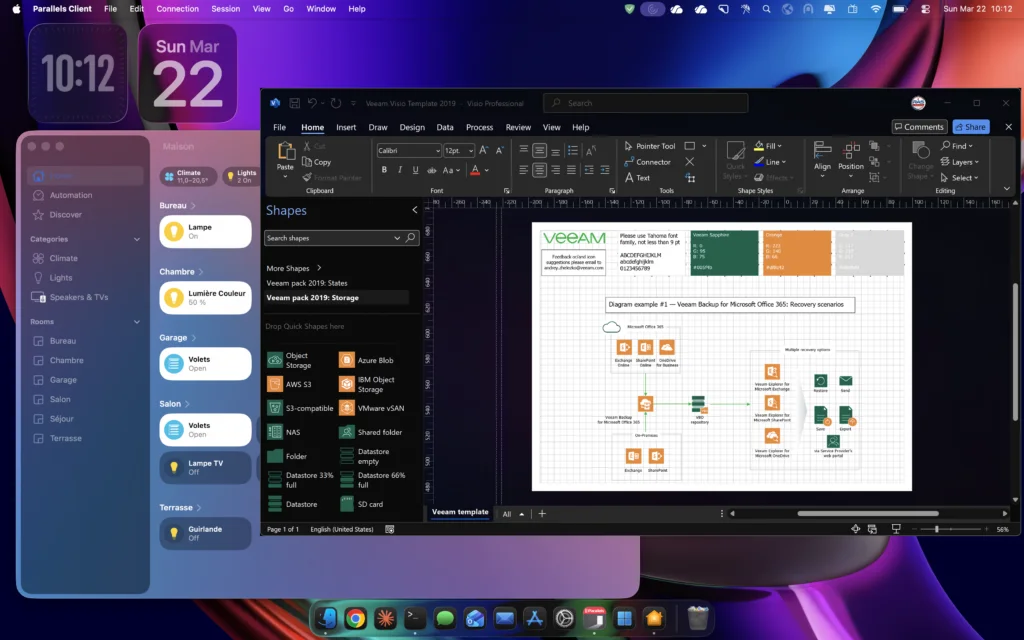
Some applications simply don’t exist on macOS — like Visio.
Instead of looking for imperfect alternatives, I use:
- Parallels Client
I connect to my lab and run Windows applications directly.
One important detail: keyboard mapping.
Shortcuts are automatically adapted.
I get my exact habits back, without thinking about Mac vs PC key differences.
Dogfooding
In the Microsoft world, we call this “dogfooding” — using your own tools in real conditions.
That’s exactly what I do with Parallels RAS.
I don’t simulate my environment. I use it.
Why not a local VM?
A common question: why not use a local VM with Parallels Desktop?
Technically, I could.
But in my case, it doesn’t make sense:
- launching a full Windows VM for occasional use
- consuming local resources unnecessarily
And more importantly, a large part of my work already revolves around Parallels RAS.
Instead of recreating a local Windows environment, I use the one I manage daily.
A ready-to-use environment
Another key point: the technical environment.
- Python readily available
- OpenSSL included
- Native SSH
- Unix commands available out of the box
No need for WSL to get a Linux-like environment.
Updates
A small detail… that isn’t.
No “please wait while updates are being configured.”
No forced reboots in the middle of the day.
Fewer interruptions. More continuity.
A balanced position
The Mac is not a replacement for Windows.
It’s a balance point.
- native Unix environment
- full compatibility with Microsoft tools
- seamless integration
It allows me to move naturally between Linux and Microsoft worlds.
The ecosystem
The Mac integrates naturally into my existing environment.
I can control my lighting, interact with my home automation setup, and manage my Apple TV directly from the Mac.
But what really stands out is continuity between devices.
With my AirPods Pro (2nd generation), switching between iPhone and Mac is seamless.
No pairing, no friction. It just works.
I can take calls directly from my Mac.
I can reply to SMS messages without picking up my phone.
And more importantly in a professional context:
If I take a picture of a server rack with my phone, I can paste it directly into a report on my Mac.
No transfer. Also, forget about uploads. In fact, no workaround is needed.
Everything is connected, and it feels natural.
It’s no longer just a work machine.
It’s a central point in a connected environment.
When a tool doesn’t exist
I build it.
Using Xcode, I create simple tools tailored to my needs.
I’m also preparing to open an Apple developer account to publish some of them.
Instead of adapting to tools, I adapt tools to my needs.
The MacBook Air M1 today
Still highly relevant.
Compatible with macOS Tahoe, fast, silent, and efficient.
Even compared to newer models, I’m still fully satisfied:
- display quality
- backlit keyboard
- overall performance
Newer doesn’t always mean better.
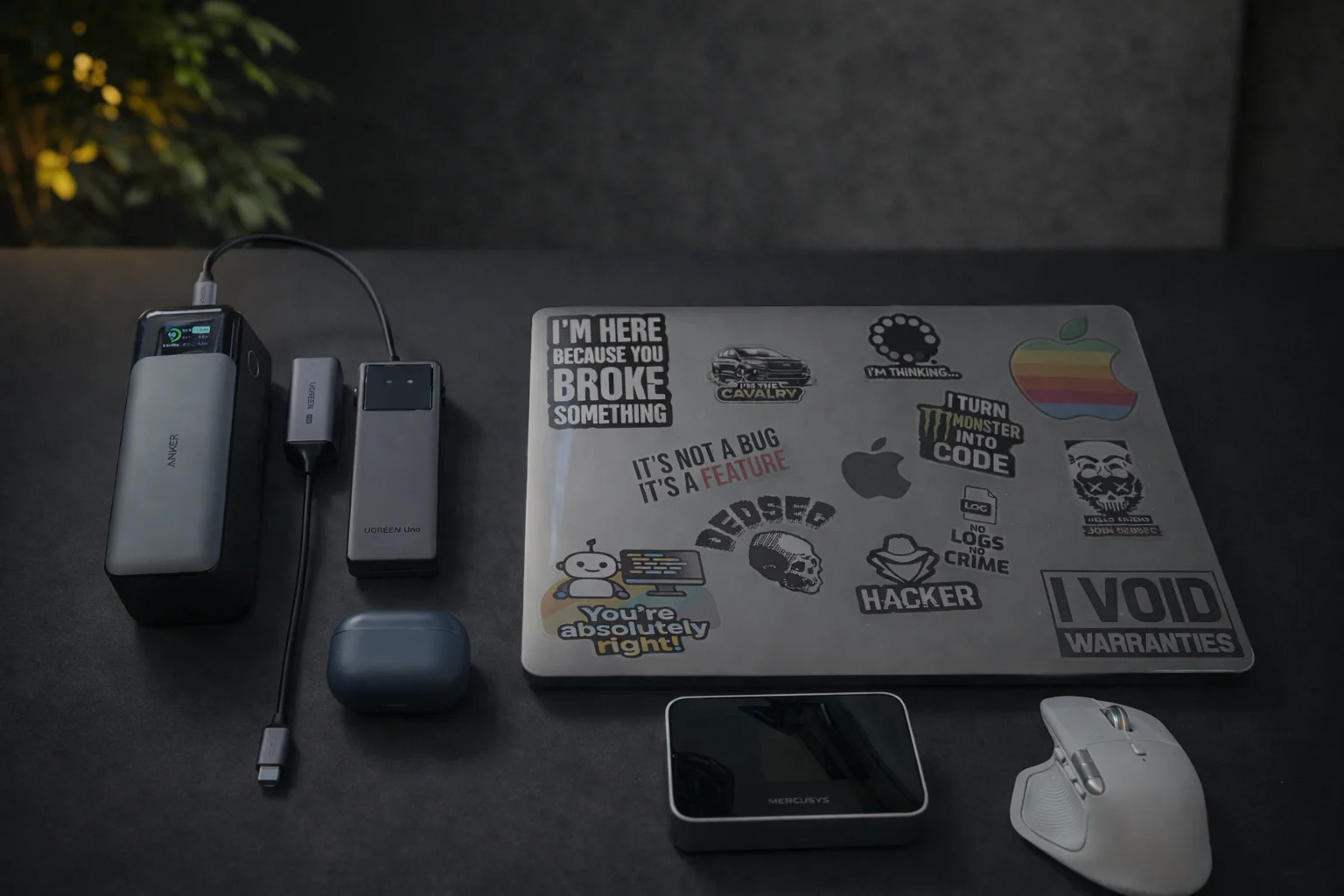
My setup
For those interested, here’s my daily setup.
Machine
- MacBook Air M1
Portable display
- ASUS ZenScreen MB169CK
Power
- Anker 737 PowerCore 24K
Connectivity
- UGREEN USB-C hub
- UGREEN 2.5G Ethernet adapter
Network
- TP-Link 4G hotspot (Mercusys)
Comfort
- Logitech MX Master 4
- Logitech MX Keys Mini
Privacy
- Magnetic privacy screen
Everything fits in a backpack.
This setup allows me to recreate a full work environment anywhere.
Conclusion
I didn’t leave Windows.
I didn’t change my job.
I’m still passionate about Microsoft technologies, especially on the server side.
I simply chose a more efficient tool.
The Mac doesn’t replace my Microsoft environment.
It enhances it.
Today, I don’t wonder if my machine will keep up.
I know it will.