
Could a Raspberry Pi 4 become a useful lightweight client for Parallels RAS? We tested the official Linux amd64 client through Box64 on Raspberry Pi OS Trixie ARM64, connecting to a private Parallels RAS 22 Gateway.
A real proof of concept, not native ARM64
The Linux client package supplied for the test is amd64. Box64 provides the x86-64 compatibility layer needed to start the official Parallels binaries on ARM64. This is therefore an experimental compatibility path, not a native ARM64 client and not a Parallels-supported product.
The test environment
The validation was performed on one Raspberry Pi 4 ARM64 profile running Raspberry Pi OS Trixie. We built Box64 with the Raspberry Pi 4 ARM64 dynarec, prepared an isolated amd64 library root and supplied the official Parallels RAS Linux client package separately.
The graphical client starts normally
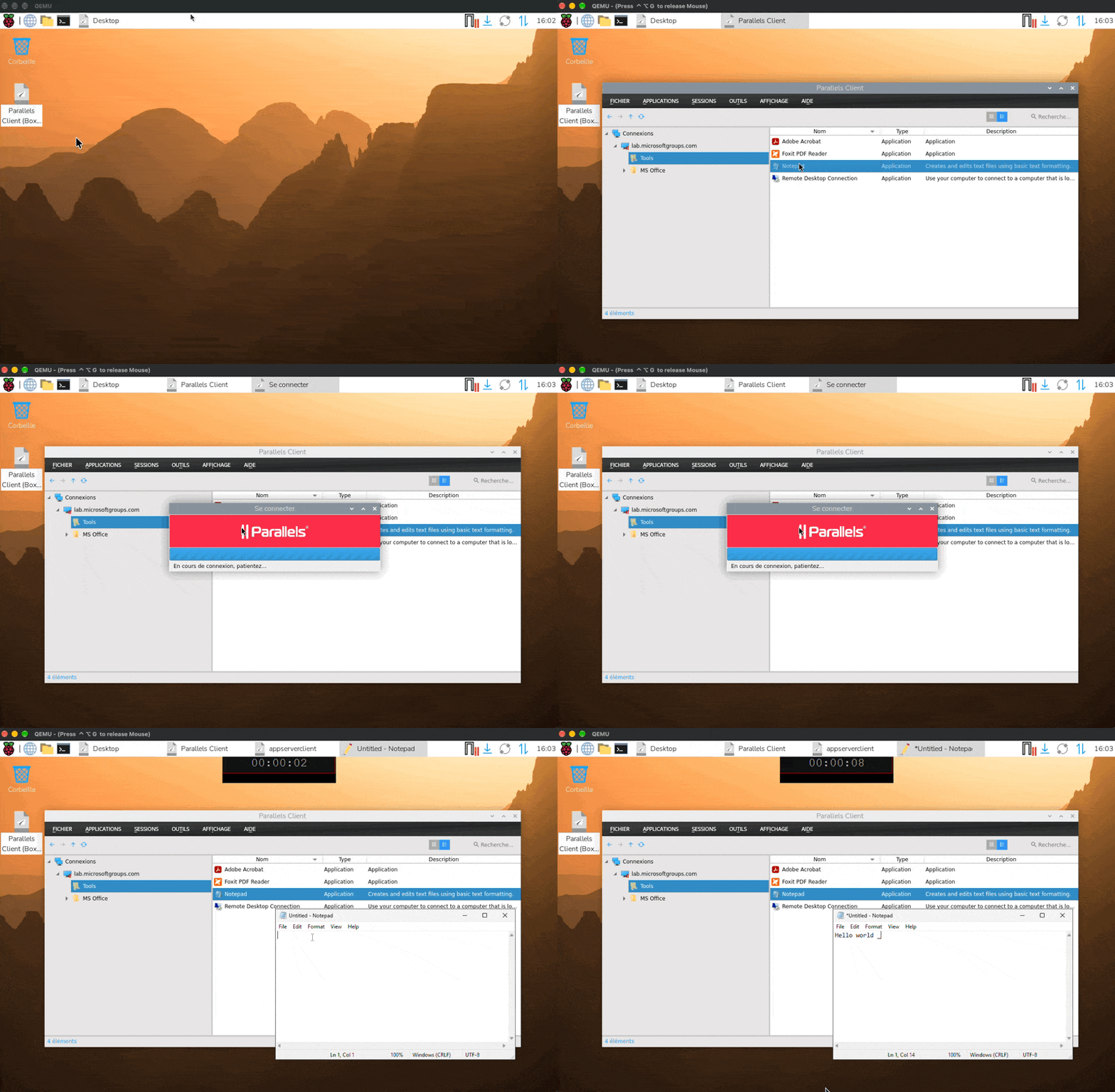
The generated package installs a Parallels Client launcher and a desktop entry. The client starts with Qt/XCB, presents the RAS connection dialog and does not require a large terminal window to remain open. The animated capture shows the launcher being started from the Raspberry Pi desktop.
Published applications work
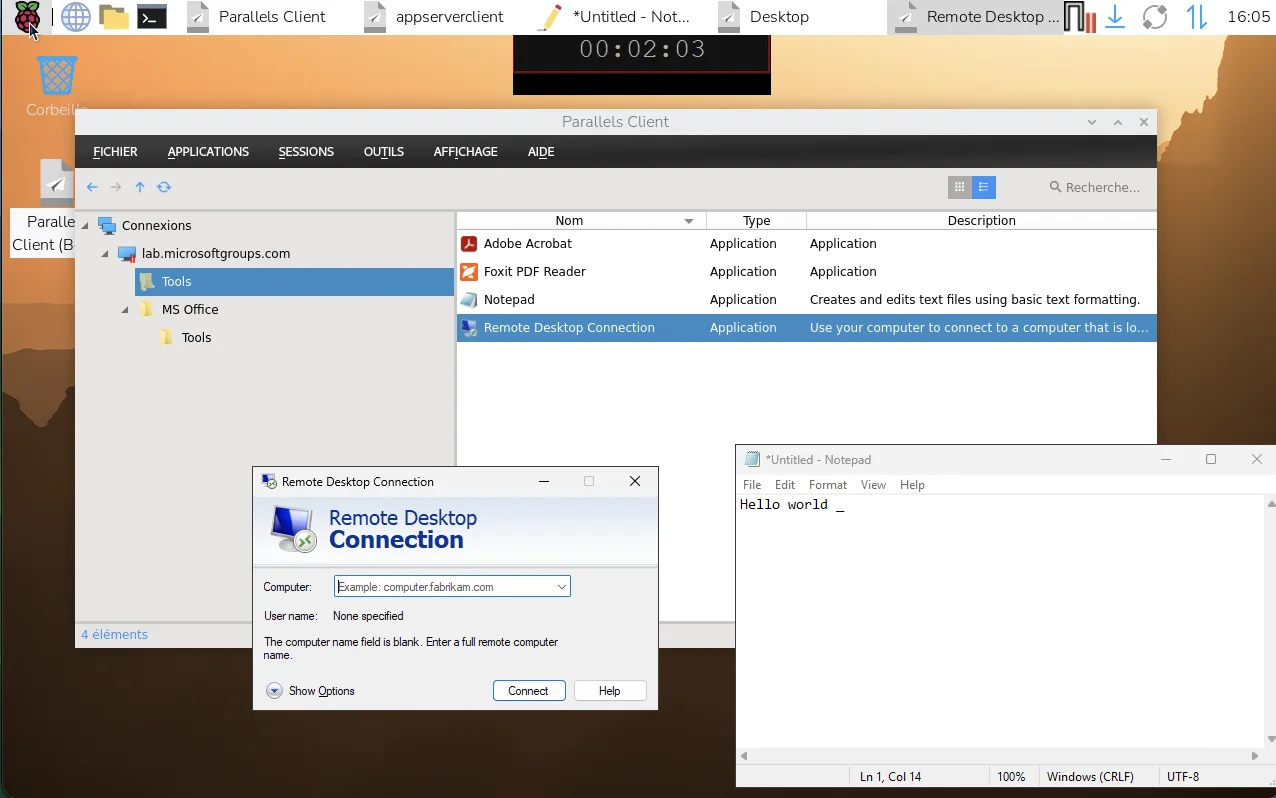
After connecting to the laboratory Gateway over SSL, the published-resource list appeared in the client. Notepad, Adobe Acrobat, Foxit PDF Reader and Remote Desktop Connection were available in the test. Notepad launched successfully as a published Windows application.
Remote desktop and drive redirection
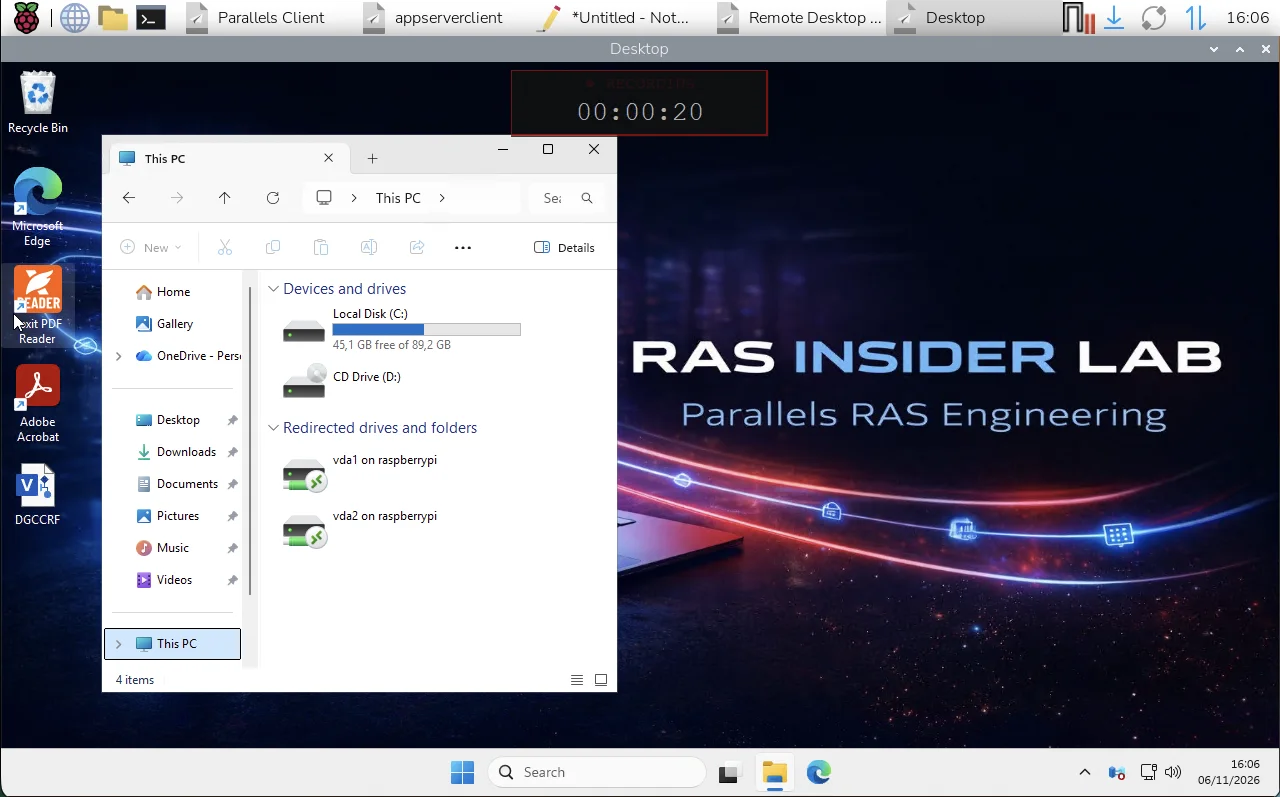
The second capture shows a published Windows desktop session. The test also exposed redirected drives from the Raspberry Pi inside the remote Windows session. These observations are encouraging, but each redirection and peripheral feature needs separate validation before any production use.
What is in the public repository
The repository contains the build scripts, validation record, screenshots and this reproducibility material. It deliberately does not contain the Parallels client package, Parallels libraries or a generated Debian package. Anyone reproducing the test must obtain the official package under their own licence.
Limits and next steps
Only one Raspberry Pi 4 profile and one RAS 22 laboratory Gateway were validated. Raspberry Pi 3, Raspberry Pi 5, production performance, printing, smart cards, USB redirection, audio, multi-monitor behavior, MFA variants, upgrades and long-term compatibility remain open questions.
Conclusion
This experiment shows that a Raspberry Pi 4 can start the official Parallels RAS Linux amd64 client through Box64, connect to RAS 22 and launch a published application. It is a useful engineering starting point for lab work and thin-client experiments, but it should not be presented as official ARM64 support.
Explore the scripts and validation record on GitHub ↗