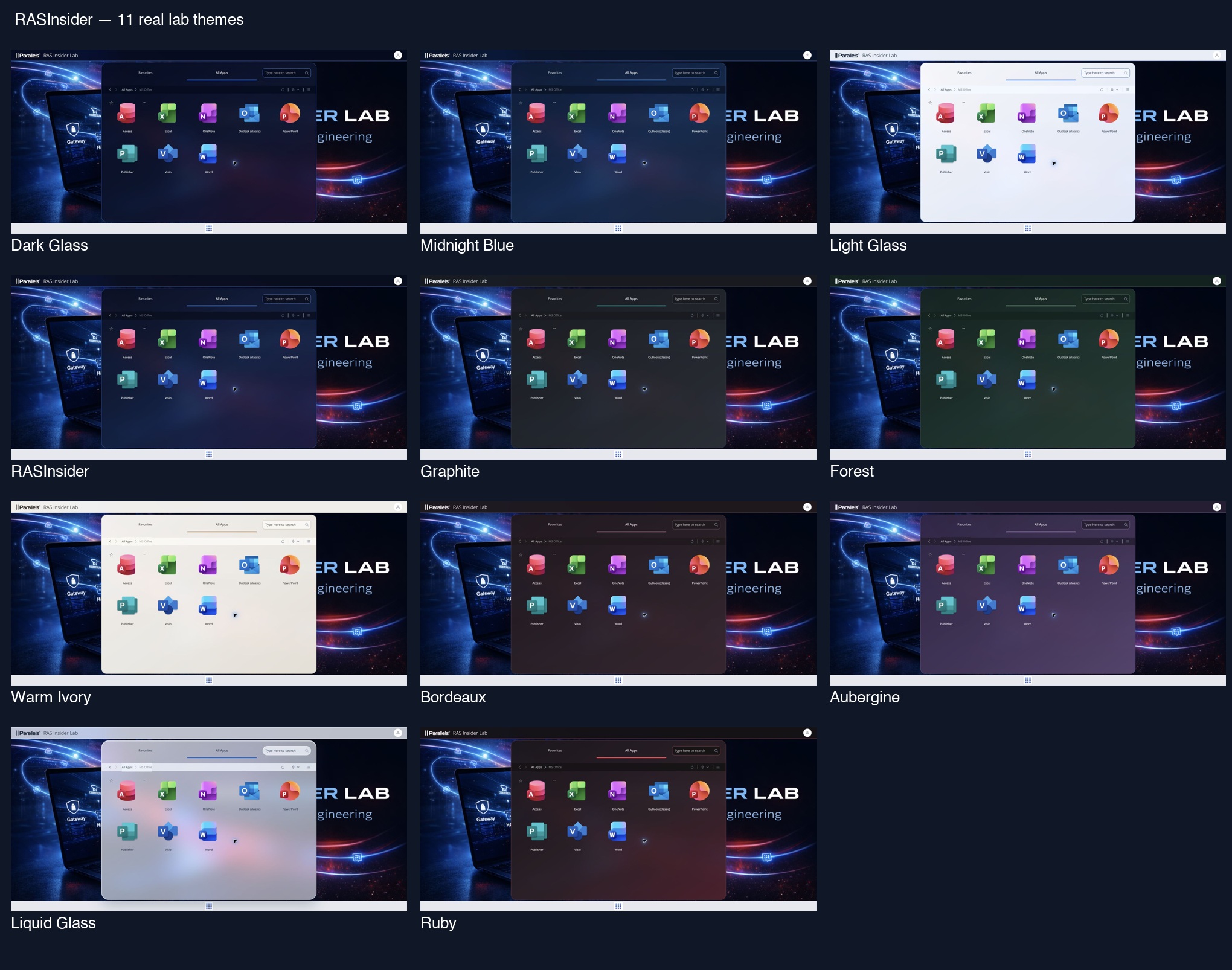
An application portal can stay professional while having a clear visual identity. RASInsider RAS User Portal Skin Manager provides eleven palettes: deep blues, restrained corporate alternatives, light surfaces and a Liquid Glass effect. Here is what they look like in the real portal, followed by how to apply them and choose your own colors.
Independent community project, not affiliated with or supported by Parallels. This is a 0.1.1-dev development preview, not an official product feature. These screenshots were captured on 7 October 2026 using RAS 21.2.2 build 27429 and RASAdmin 5.0, with one Site and a Secure Gateway separate from the Broker. The original styling baseline was RAS 22.0 Technical Preview build 28102.
Eleven themes in the real portal
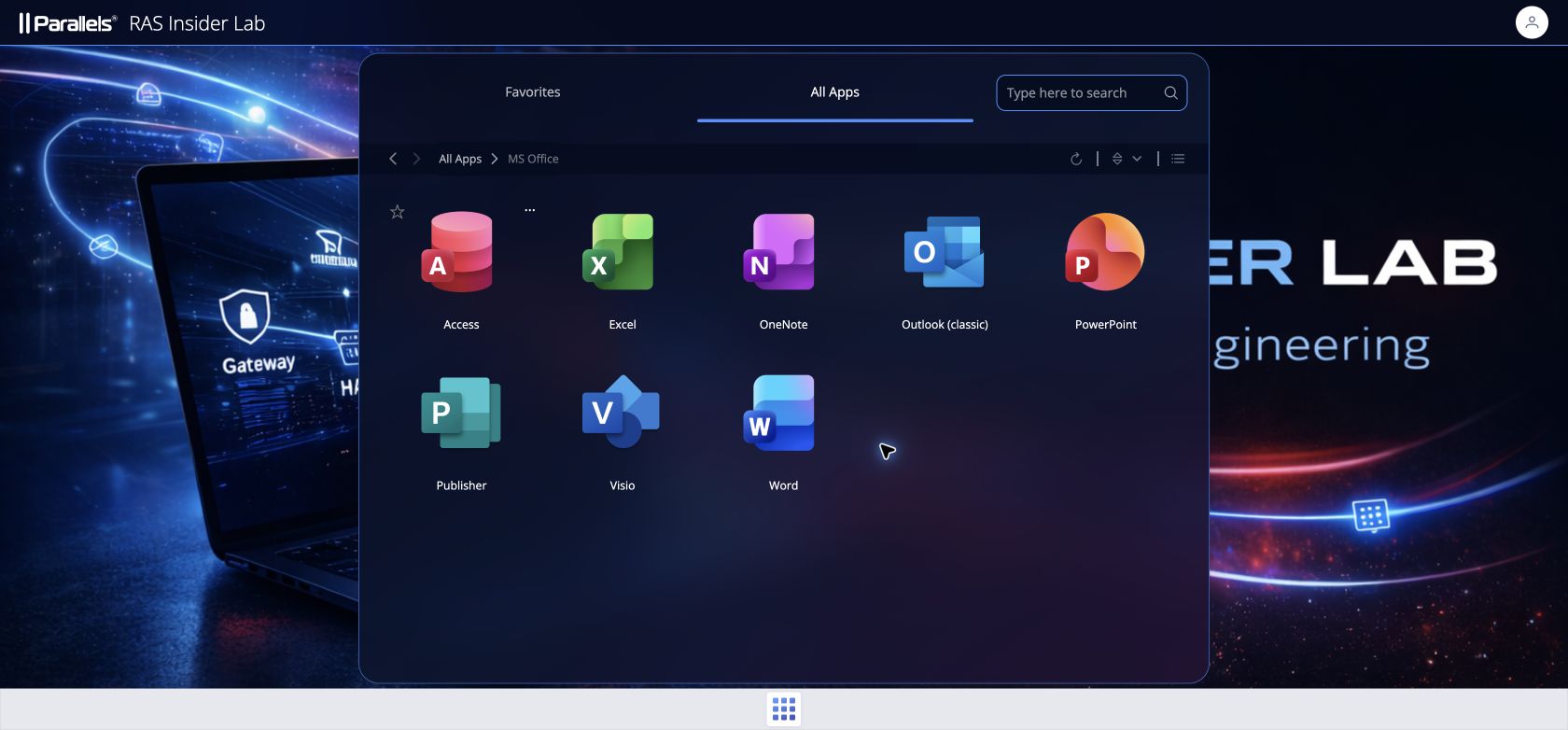
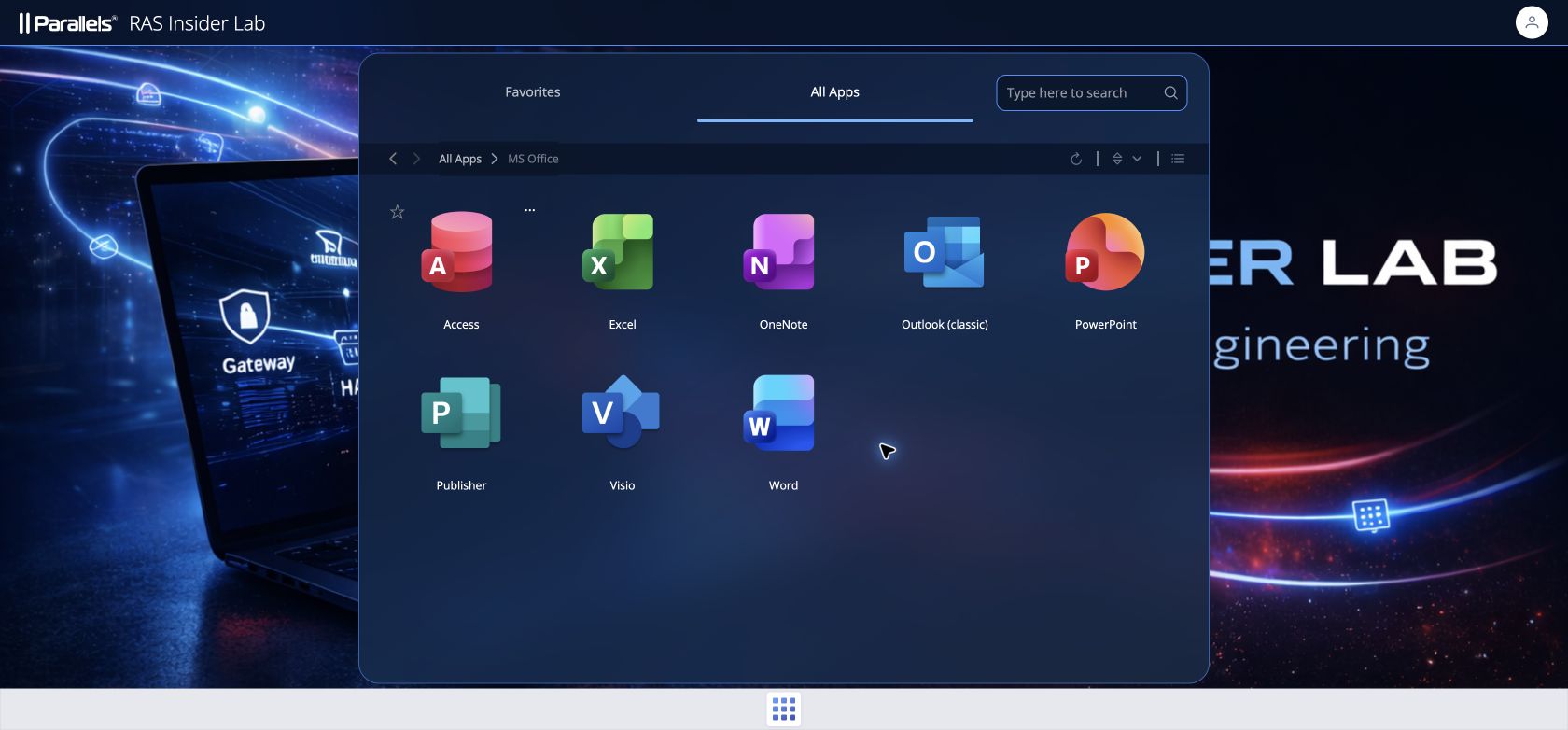
The wallpaper, logo and applications are identical in every capture: only the portal presentation changes. Click an image to open the full-size capture.
Dark Glass
Midnight Blue
Light Glass
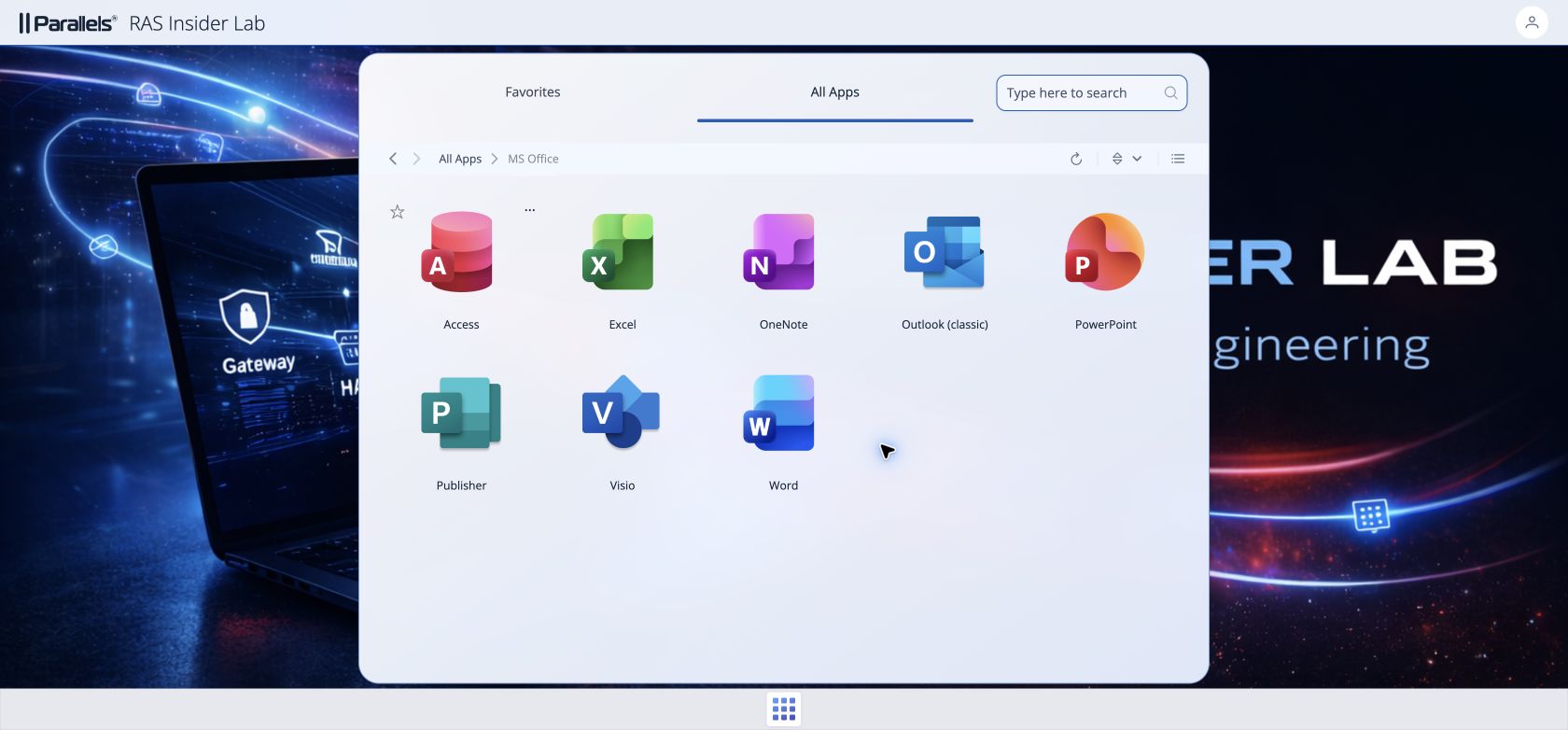
RASInsider
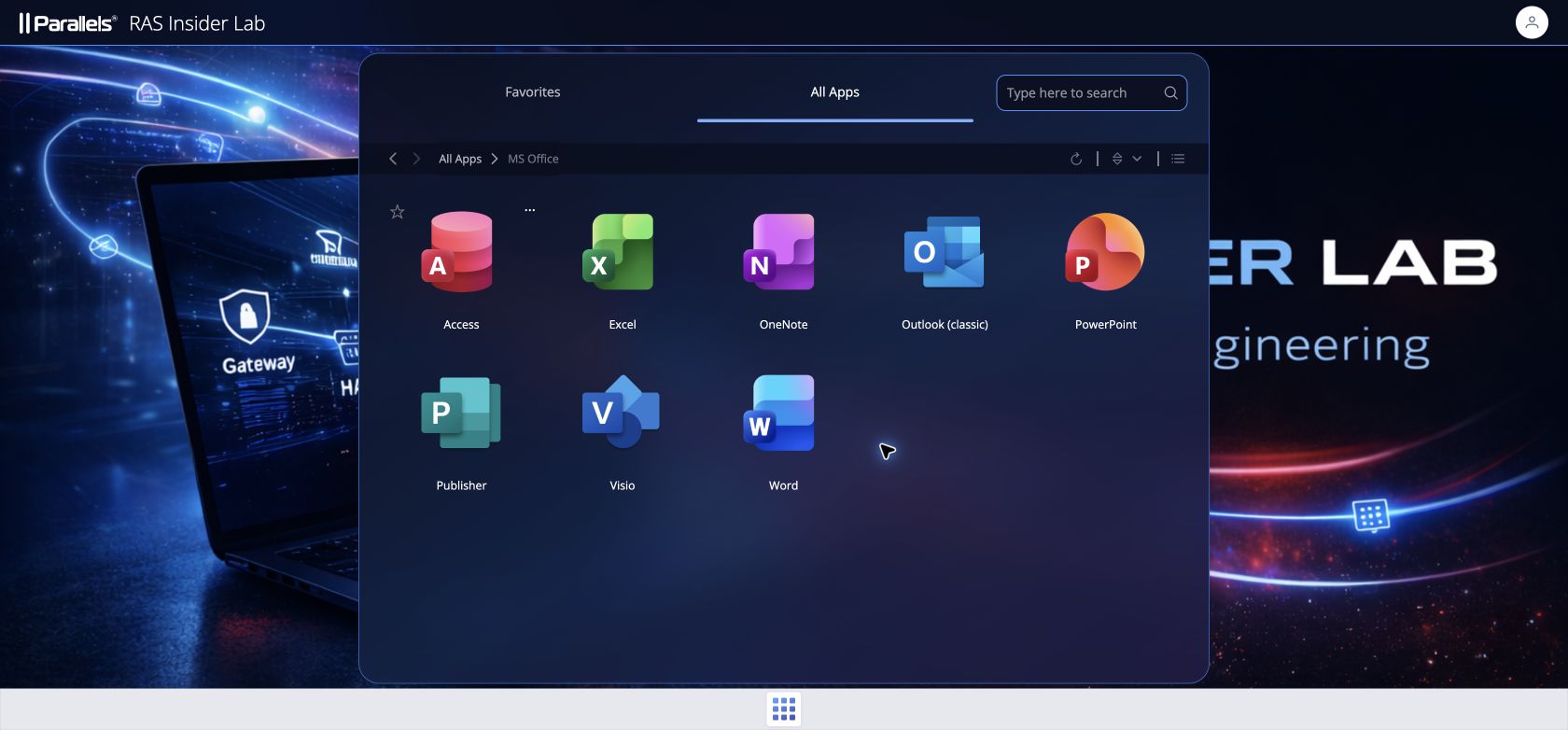
Graphite
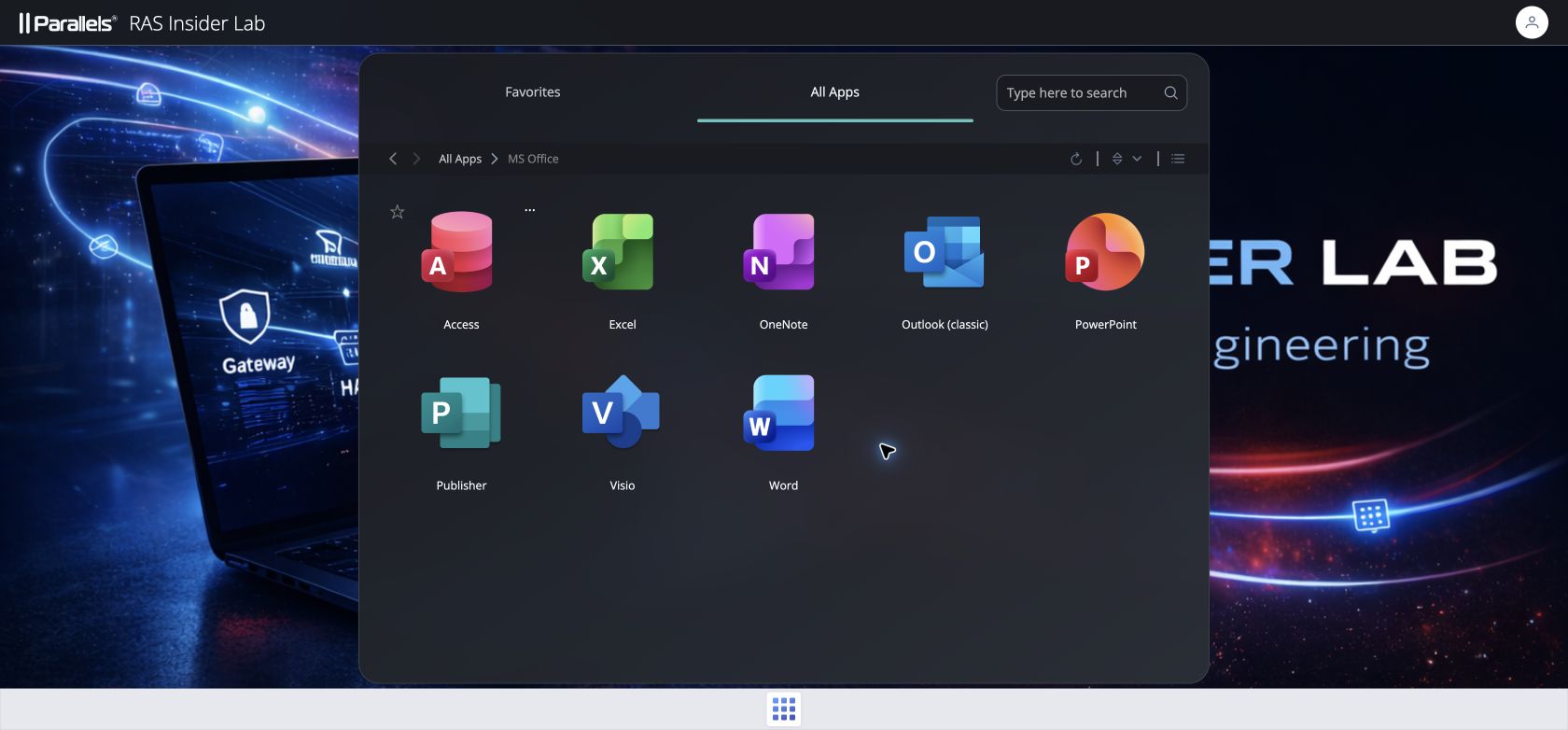
Forest
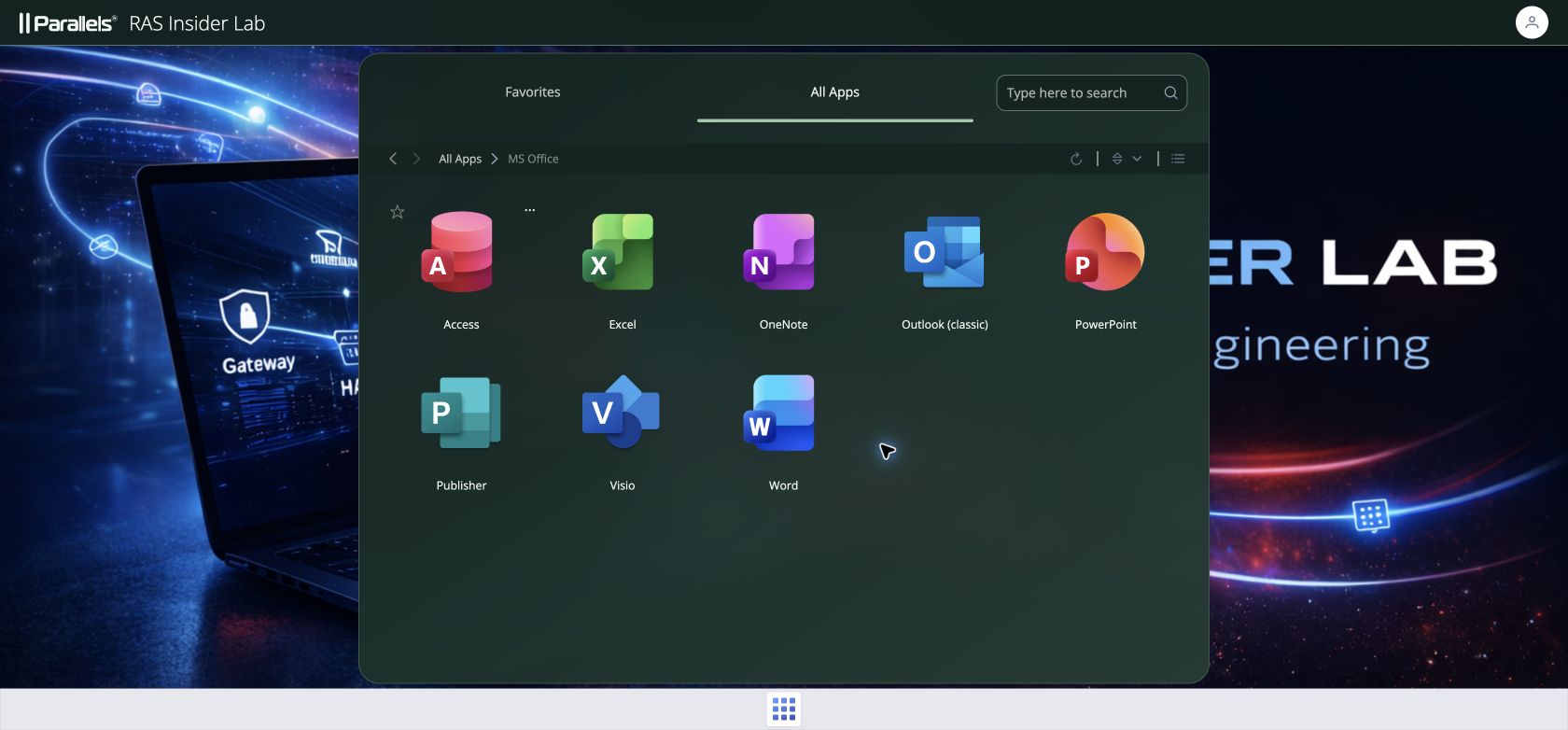
Warm Ivory
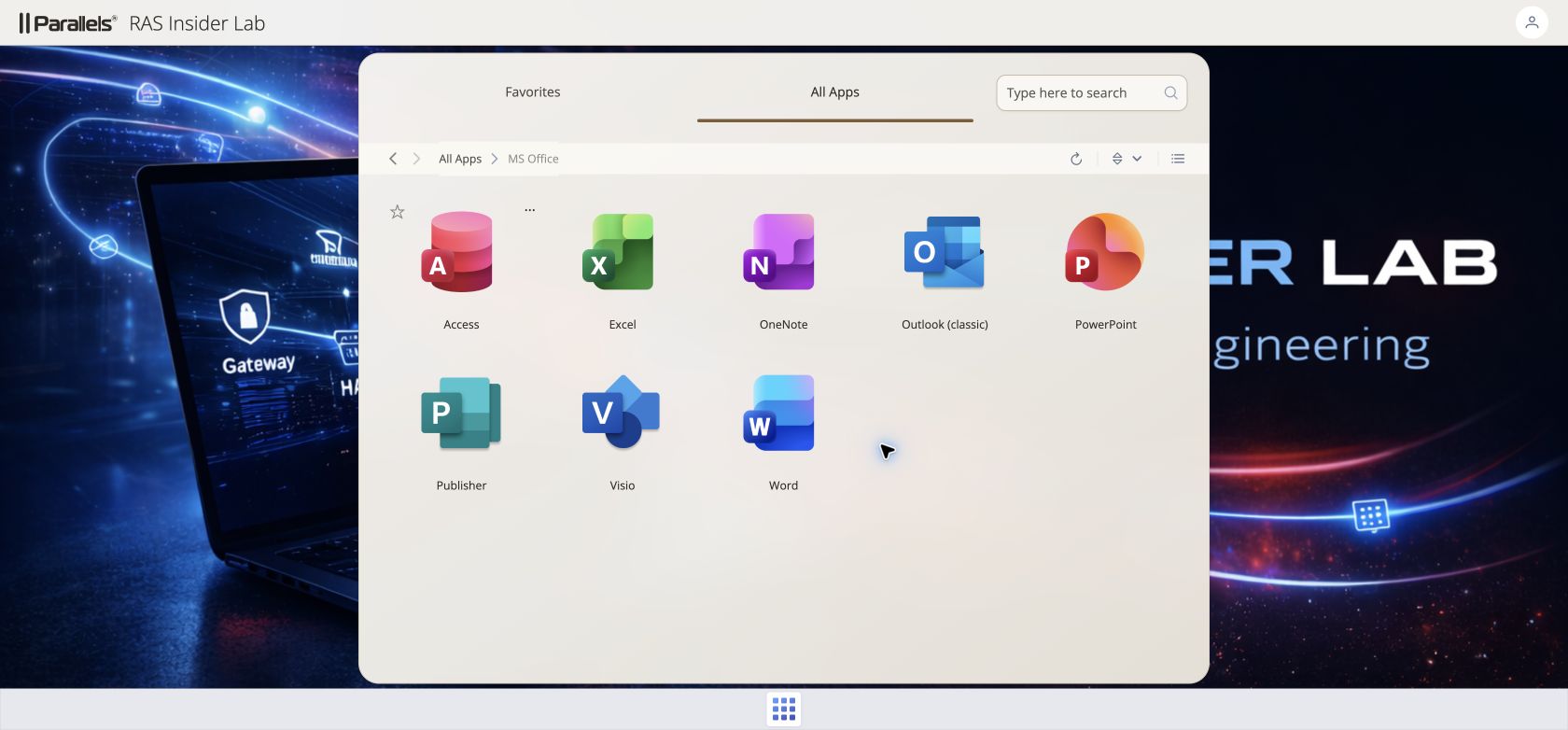
Bordeaux
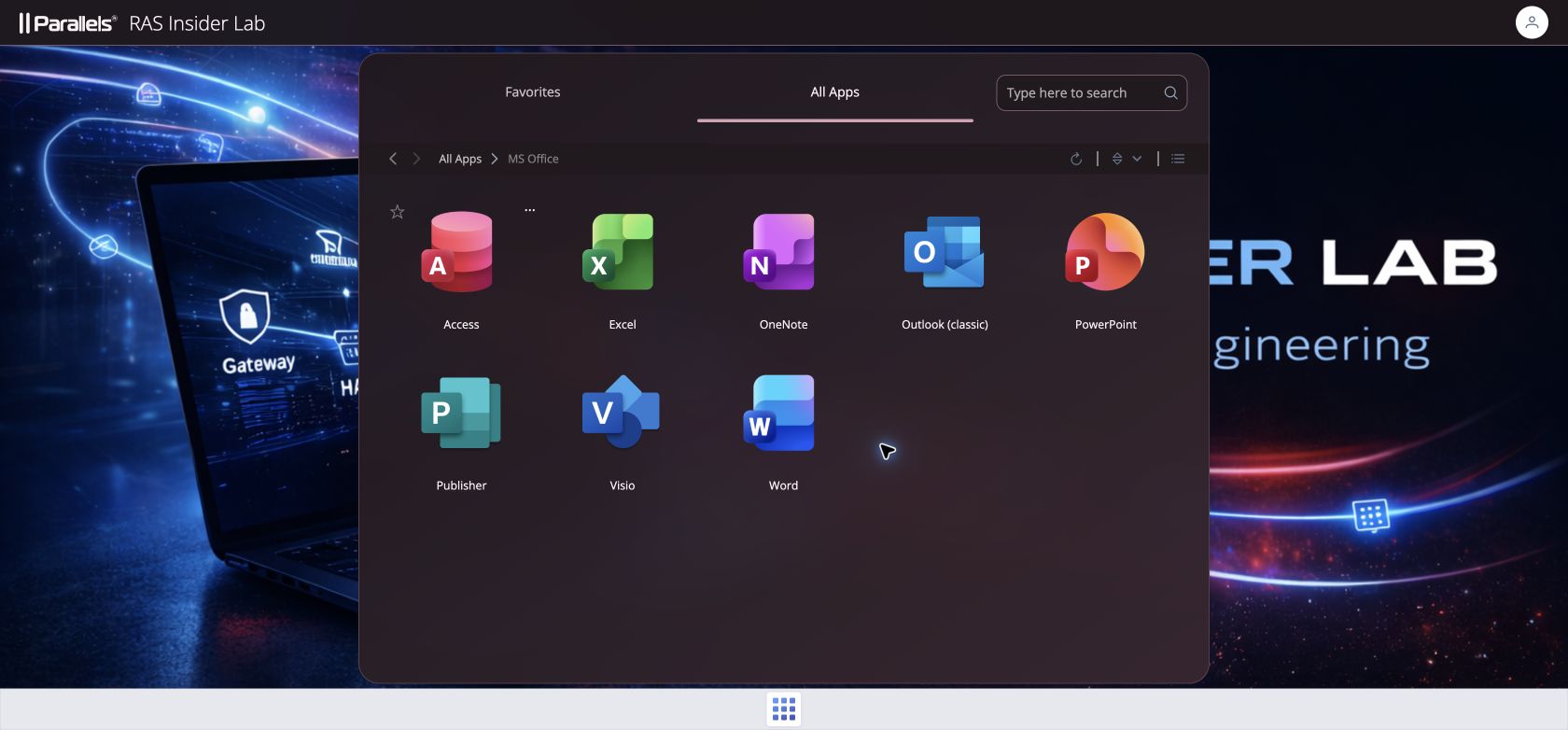
Aubergine
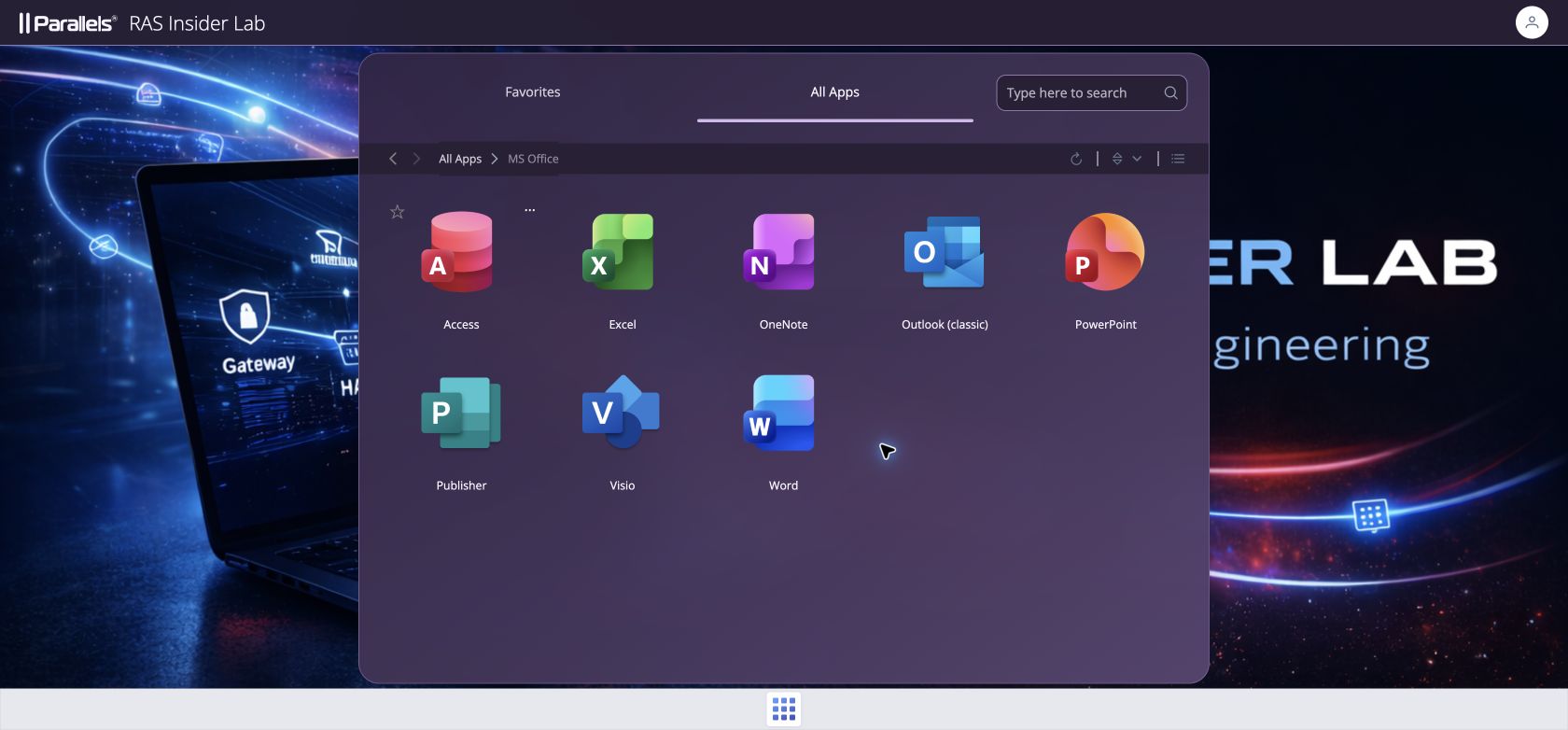
Liquid Glass
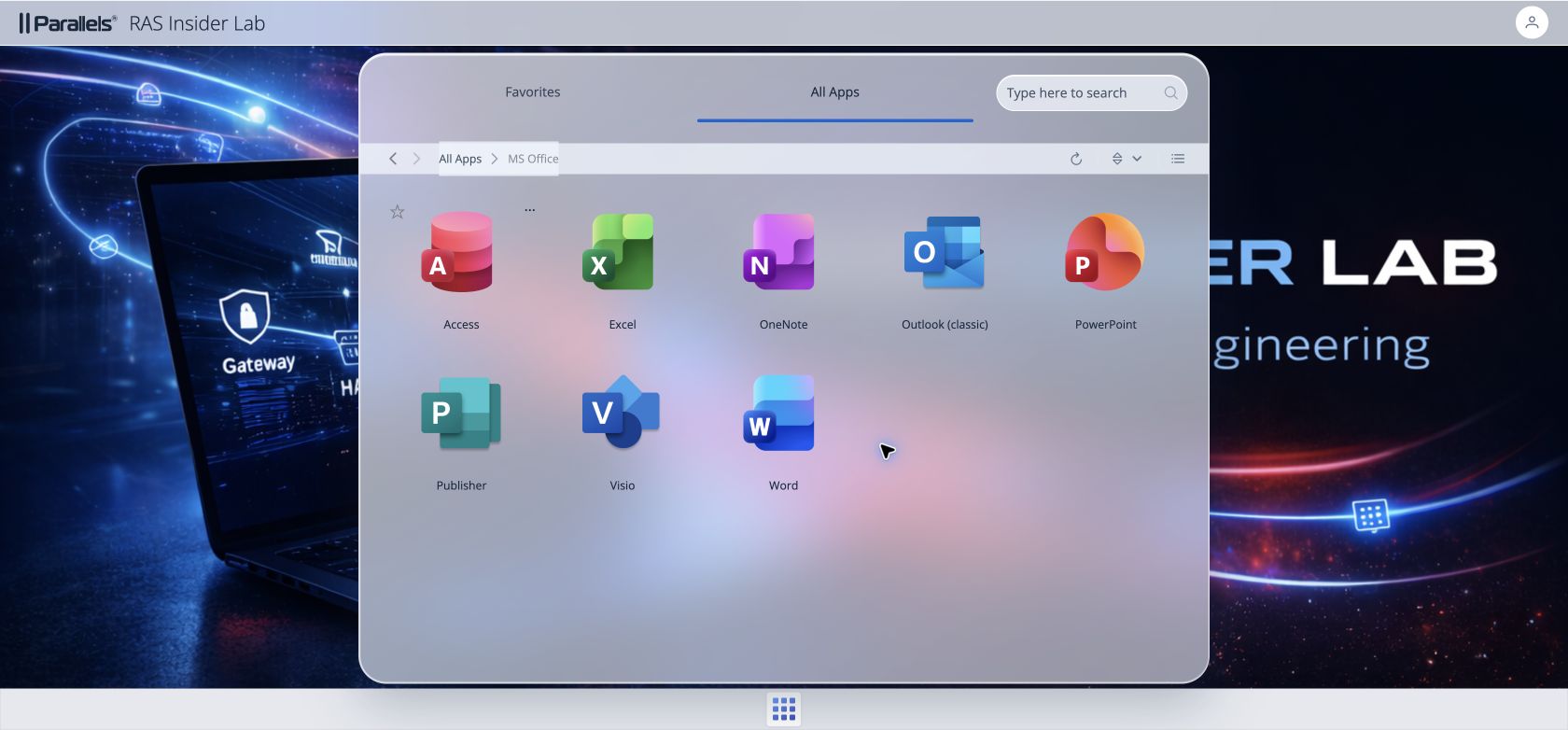
Ruby
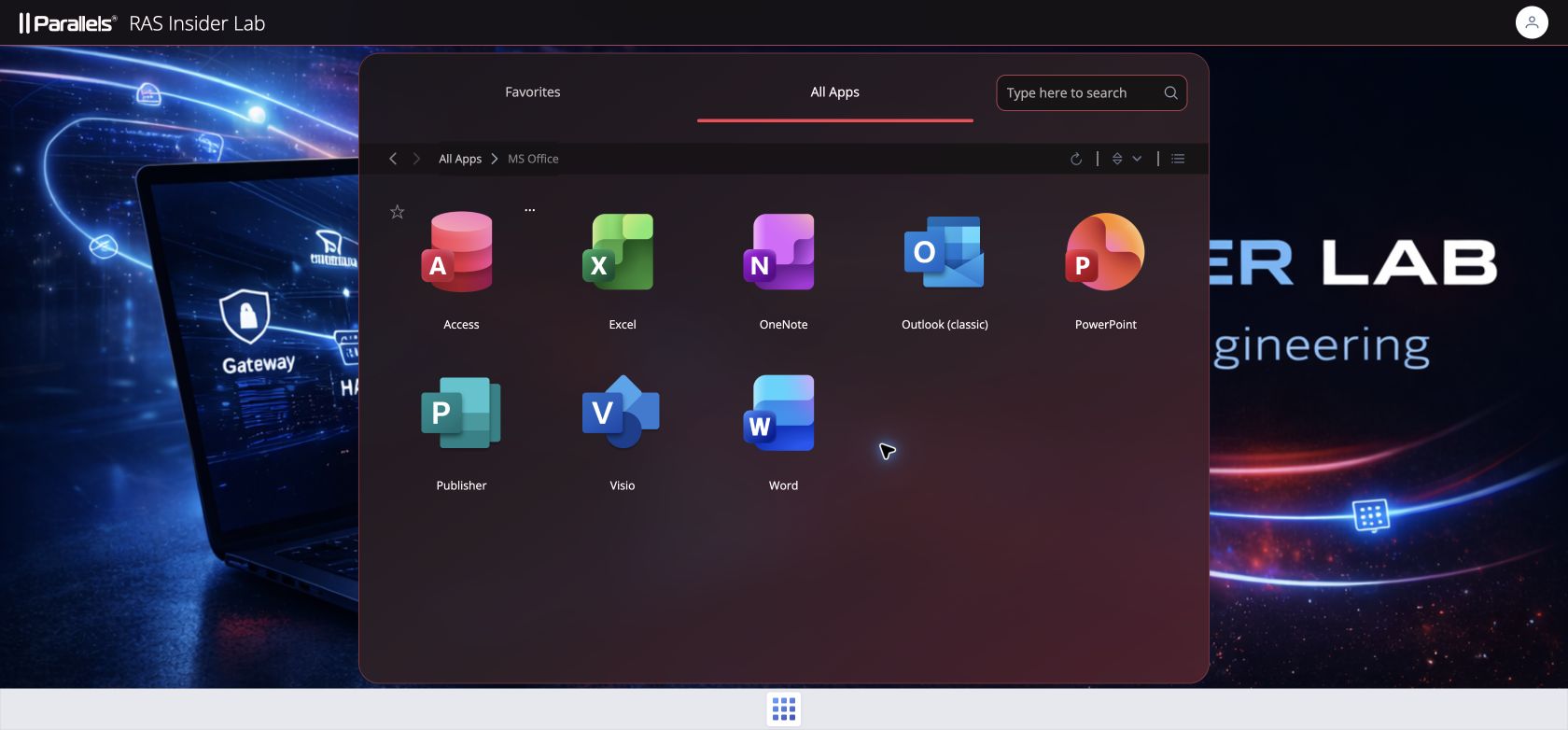
Liquid Glass is a CSS visual approximation using transparency, blur and inset highlights. It is not Apple’s native rendering engine. Its appearance depends heavily on the RAS wallpaper and browser support for backdrop-filter. A solid-background fallback is provided when that effect is unavailable.
How to install and change a theme
Download the current standalone PS1 from GitHub. All eleven palettes are embedded in the script, so presets need no companion JSON files. The historical v0.1.0 archive does not include this update. Use the current source to get the new themes.
Run it in an elevated Windows PowerShell 5.1 console on the Broker or an administration machine with the matching installed RASAdmin module. The manager connects to RAS and discovers Sites and Secure Gateways; it does not assume the portal resides on the Broker. Existing authenticated WinRM access to every selected Gateway is also required.
Before allowing deployment, validate on each Gateway the physical directory serving /userportal/ and its index.html. Our recorded prototype path is C:\Program Files (x86)\Parallels\ApplicationServer\2XHTML5Gateway\www; confirm it in your installation. -MappingValidated acknowledges that validation; it does not discover or fix routing. Use -PortalRoot and -IndexRelativePath for different physical paths.
Replace ras-broker.example.test with your RAS server and open the interactive menu:
.\RAS-UserPortal-SkinManager.ps1 -LicensingServer ras-broker.example.test -MappingValidated| Menu | Action |
|---|---|
| Install / Change | Choose a preset or enter Custom values. |
| Re-apply | Reapply each Gateway’s saved configuration. |
| Restore Original | Remove the managed hook and CSS from the current index. |
| Status | Inspect file, hook and hash status. |
| Exit | Exit. |
Scope comes from RAS discovery: A for all Sites, S:1,2 for selected Sites, or G:10,11 for discovered Gateway IDs. A bare 1 is not a valid Site selection. Then choose a palette under Install / Change. Custom is choice 5, so the eleven presets are not numbered consecutively from 1 to 11.
To automate a change, start with a dry run. After checking scope and prerequisites, run the same command without -WhatIf:
.\RAS-UserPortal-SkinManager.ps1 -Action Install -LicensingServer ras-broker.example.test `
  -AllSites -Preset 'Ruby' -MappingValidated -WhatIf
.\RAS-UserPortal-SkinManager.ps1 -Action Install -LicensingServer ras-broker.example.test `
-AllSites -Preset 'Ruby' -MappingValidatedCustom: your colors and transparency
You are not limited to the eleven presets. Custom starts from Dark Glass and lets you choose the header color, three gradient colors, accent, border and primary text. You can also set opacity, blur and corner radius. For a reusable corporate palette, provide a JSON file with -SkinFile.
| Setting | Accepted values |
|---|---|
| Colors | #RRGGBB |
| Opacity | 0–1 |
| Blur | 0–60 px |
| Corner radius | 0–48 px |
| Secondary / muted text | Opacity applied to the Primary color. |
Save this complete example as corporate-teal.json. This custom palette is a configuration example, not one of the eleven captured presets:
{
  "SchemaVersion": 1,
  "Name": "Corporate Teal",
  "Header": "#102A2B",
  "HeaderOpacity": 0.96,
  "PanelStart": "#102A2B",
  "StartOpacity": 0.96,
  "PanelMiddle": "#183D3F",
  "MiddleOpacity": 0.94,
  "PanelEnd": "#215052",
  "EndOpacity": 0.92,
  "Accent": "#67D5C4",
  "Border": "#538B86",
  "Primary": "#F4FFFD",
  "SecondaryOpacity": 0.78,
  "MutedOpacity": 0.68,
  "Blur": 28,
  "Radius": 22
}
.\RAS-UserPortal-SkinManager.ps1 -Action Install -LicensingServer ras-broker.example.test `
-AllSites -SkinFile .\corporate-teal.json -MappingValidatedThe schema requires every property and rejects unknown fields, out-of-range numbers, URLs and raw CSS. JSON numbers use a decimal point. Validation prevents malformed configurations; it does not guarantee contrast. Check readability against your actual wallpaper, sign-in fields, keyboard focus, hover, error and disabled states. To retain Liquid Glass-specific highlights in a JSON import, keep exactly "Name": "Liquid Glass"; another name uses the standard glass template.
How it works — and how far you can go
The manager adds a marked, idempotent hook to the physical index.html. The hook loads an independent stylesheet at /userportal/rasinsider.css. Its --ri-* variables drive colors and effects on the targeted surfaces. Parallels’ compiled JavaScript and CSS bundles are never modified.
Vue scope attributes and CSS utilities can complicate overrides. The prototype uses contextual anchors such as [data-testid="app-header"], header.app-header on the tested 21.2 build, #launcher and .login-container .login-form[class]. The header SVG uses fill="currentColor", allowing its color to follow the header context without replacing the RAS-supplied logo.
| Requirement | Where to configure it |
|---|---|
| Logo, wallpaper, favicon, title and text | RAS Theme. |
| Palette, transparency, blur, borders, corners, hover and active underline | Skin Manager presets or Custom. |
| Additional selectors, gradient geometry, shadows or a different layout | CSS development in the generator; outside the current Custom schema. |
| Authentication, MFA, SAML, permissions, published applications, launching or remote-session content | RAS and its components; outside Skin Manager scope. |
The stylesheet can dress the header, sign-in panel, launcher, search, breadcrumbs and list rows. JSON is not a page builder: it does not reorder applications, replace their icons or add business functionality. The gradient keeps three stops at 0%, 55% and 100%, at a 145-degree angle. Additional components or layout changes require CSS development and testing against the intended build. Avoid logo viewBox-dependent selectors: one was a temporary prototype target, not a stable foundation for Farm customization.
This separation keeps RAS in control of dynamic assets. It is designed to allow RAS Theme changes without the manager replacing your logo or wallpaper. The complete RAS Theme-change and upgrade scenarios still need lab validation. The eleven screenshots demonstrate the tested build’s appearance, not universal compatibility with future versions.
Multiple Gateways, upgrades and recovery
Discovery uses the installed RASAdmin module: New-RASSession, Get-RASVersion, Get-RASSite, Get-RASGateway -SiteId and Get-RASGatewayStatus -Id. RAS remains the source of truth; target machines are not a manually entered inventory. Remove-RASSession closes the session. Verified discovery details are in the multi-Gateway documentation.
The script checks every selected Gateway before modifying the first, then creates snapshots, applies changes and verifies them. Behind HALB, select the whole relevant pool to avoid inconsistent appearances. Distributed deployment still has a transition window and does not automatically drain nodes. If deployment fails, compensation rollback uses transaction snapshots and refuses to overwrite unrelated concurrent changes.
Configuration, state, hashes, transactions, backups and logs live under %ProgramData%\RASInsider\RAS-UserPortal-SkinManager\. After a RAS update, inspect Status first, then use Re-apply to repair the hook and stylesheet from saved settings. Re-apply preserves each Gateway’s own skin; Install / Change can standardize a pool.
.\RAS-UserPortal-SkinManager.ps1 -Action Reapply -LicensingServer ras-broker.example.test `
  -AllSites -MappingValidated
To return to the original presentation, Restore Original removes the managed elements from the current index. It does not blindly restore an old index over upgraded product files:
.\RAS-UserPortal-SkinManager.ps1 -Action Restore -LicensingServer ras-broker.example.test `
  -AllSites -MappingValidated
Unmarked CSS links, malformed markers and some drift conditions are deliberately refused. Preserve an existing prototype and follow the recovery procedure rather than forcing writes. Finish by refreshing the browser and checking the served CSS and expected appearance.
What we actually validated
All eleven palettes were deployed from the Broker to a separate Gateway and captured in the browser. Dark Glass was then restored from its saved configuration, and Re-apply and Status were checked. Local validation passed: 52 fixture checks, 17 Pester tests and PSScriptAnalyzer, plus the GitHub Windows checks. Multi-Gateway rollback tests use fixtures: live HALB, deployments to multiple Gateways, RAS Theme changes, upgrades and comprehensive accessibility validation remain pending. The script allows the 21.2.x branch and RAS 22.0 TP build 28102; that does not mean every allowed build has been tested.
Project and source on GitHub · Custom schema · Detailed palettes · Lab validation