If you work with Parallels RAS on a daily basis, you know the drill: KBs keep piling up, some get quietly updated, and you only find out the day you spend two hours on a bug that already had a documented fix three weeks ago.
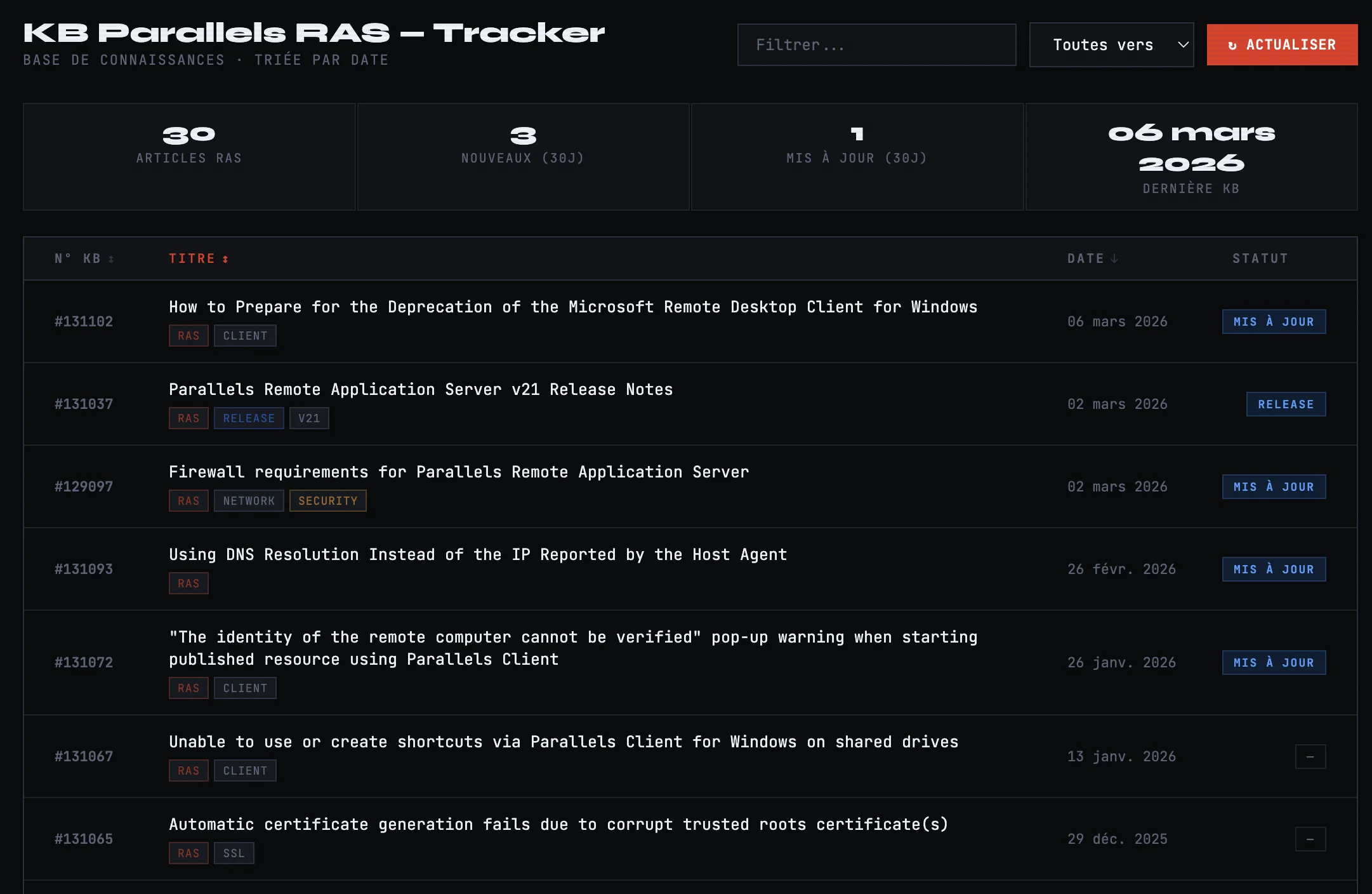
So I built something simple: RAS KB Tracker — a tool that lists all Parallels RAS KBs sorted by date, with clear indicators for new articles and recently updated ones.
What it does
One glance is all it takes to see what’s new or what’s changed recently. KBs are sorted from newest to oldest, with “New” and “Updated” badges for anything touched in the last 30 days. You can filter by keyword (FSLogix, HALB, SAML, PowerShell…) or by version (v19 LTS, v20, v21). Every entry is a direct link to the official Parallels KB.
Technically it’s a standalone HTML file — zero dependencies, zero server. Drop it anywhere.
Why it matters
The Parallels KB is well stocked, but it doesn’t offer a filterable RSS feed by product. When you’re managing RAS deployments in production, missing an update on firewall requirements or a security fix on the HALB component can hurt. With this tool, you get a visual check done in 10 seconds.
Direct access
What’s next
The logical next step: a Python script running on a cron job to automatically regenerate the list from kb.parallels.com. Work in progress.
If you’d like the same thing for Parallels release notes or security advisories, drop a comment below.